
You uploaded your resume, pasted the job description, and Resume Hedgehog gave you a fit rating of 54%. That number stings, but it also tells you exactly where the gaps are. Most applicants never get that feedback. They send the same resume fifty times and wonder why nobody calls back. This guide walks you through reading your fit rating, identifying the specific gaps it reveals, and closing them before you hit submit.
TL;DR:- The fit rating is a percentage score showing how well your resume matches a specific job posting's requirements.
- Low scores pinpoint missing keywords, absent skills, and misaligned experience descriptions.
- You close gaps by editing your resume section by section, re-running the rating after each change, and stopping once you hit 80% or above.
What the Fit Rating Actually Measures
The fit rating is not a grade on your career. It compares the language, skills, and qualifications in your resume against what the job posting asks for. Think of it as a keyword and context overlap score. When a posting says "project management experience with Agile methodologies" and your resume says "managed cross-functional teams," you get partial credit. When it says "Certified Scrum Master" and that phrase appears nowhere in your document, the score drops.
That statistic is not abstract. It means three out of four resumes never reach a recruiter's desk. The fit rating gives you a preview of what the ATS will think before you submit.
Three components drive the score:
- Keyword match - exact and semantic overlap between your resume and the job description
- Skills alignment - whether your listed skills cover the required and preferred qualifications
- Experience relevance - how closely your described accomplishments map to the role's responsibilities
Why Gaps Form in the First Place

Gaps between your resume and a job posting happen for predictable reasons. Recognizing them saves time.
You wrote your resume for a different role. A marketing manager resume emphasizes campaign ROI and brand strategy. A product marketing manager posting wants competitive analysis, positioning frameworks, and sales enablement. Same field, different vocabulary.
You used generic descriptions. "Responsible for team management" tells the ATS nothing specific. The posting asks for "led a team of 8 engineers through quarterly sprint planning." Specificity creates matches.
You omitted tools and certifications. You know Tableau, but you listed "data visualization" instead. The ATS searches for "Tableau." No match, no credit.
The job market shifted. Postings in 2025 and 2026 increasingly list AI-adjacent skills, remote collaboration tools, and compliance frameworks that did not exist three years ago when you last updated your resume.
"Employers announced 1,206,374 job cuts in 2025, a 58% jump year over year and the highest total since 2020 (Challenger, Gray & Christmas).">, How to Explain Employment Gaps on a Resume (2026 + ATS Data)
With more candidates competing for fewer openings, a generic resume is a liability. The fit rating quantifies that liability.
Common Mistakes When Interpreting the Score
Before you start editing, avoid these traps:
- Keyword stuffing. Copying the entire job description into a hidden text block or cramming every keyword into one bullet point. ATS systems in 2026 detect this. Recruiters who do see your resume will notice it reads like a word salad.
- Ignoring context. The rating flags that you are missing "budget management." You add "managed budgets" to a bullet about filing expense reports. That is a mismatch in scope. The posting means six-figure project budgets, not reimbursement forms.
- Chasing 100%. A perfect score is not the goal. Some postings list aspirational qualifications ("PhD preferred" for a role that hires people with bachelor's degrees). Aim for 80-90%, not perfection.
- Editing once and stopping. The fit rating is iterative. Change a section, re-run the score, see what moved. One pass rarely closes every gap.
Step-by-Step: Close Your Gaps
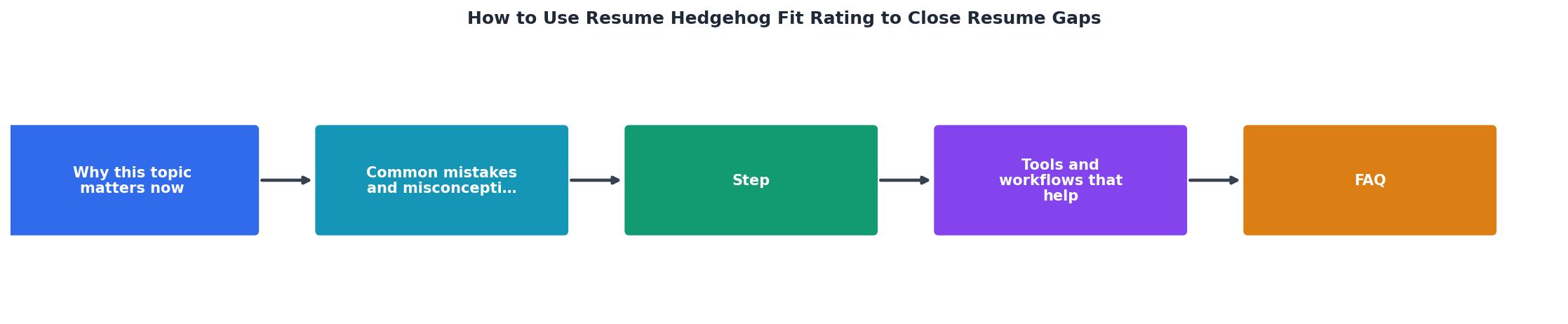
Follow these steps each time you tailor a resume to a new posting.
1. Run Your Baseline Score
Upload your current resume and paste the job description into Resume Hedgehog. Note the overall fit rating and which sections scored lowest. Write down the specific keywords and skills flagged as missing.
2. Sort Gaps by Impact
Not every gap matters equally. Group the missing items:
- Must-have requirements listed under "Required Qualifications" in the posting
- Preferred qualifications that would strengthen your candidacy
- Nice-to-haves that appear once in the posting and carry less weight
3. Rewrite Bullet Points
For each missing keyword or skill, find the bullet point in your resume where that experience actually lives. Rewrite it to include the exact terminology from the posting while keeping the accomplishment authentic.
Before: "Improved team processes using modern methodologies."
After: "Redesigned sprint planning process using Agile and Scrum frameworks, reducing cycle time by 22% across a 12-person engineering team."
4. Add a Skills Section That Mirrors the Posting
If the posting lists "Python, SQL, Tableau, Power BI" under required technical skills, your skills section should include every one of those you genuinely know. Order them to match the posting's priority.
5. Re-Run and Compare
Upload the revised resume. Compare the new fit rating to your baseline. If you jumped from 54% to 72%, you are on the right track. Look at what is still flagged and repeat steps 2-4.
6. Stop at 80%+
Once you cross 80%, diminishing returns kick in. Spend your time applying rather than chasing the last few percentage points.
Here is an example dashboard showing how a typical gap-closing session looks after three rounds of edits:
Fit Rating Progress (Example Session)
Tools and Workflows That Speed This Up

The fit rating works best as part of a repeatable workflow. Here is what a practical setup looks like:
- Keep a master resume with every role, skill, and accomplishment you have. This is your source document, not what you send to employers.
- Copy and trim for each application. Pull relevant bullets from the master into a tailored version.
- Run the fit rating on the tailored version against the specific posting.
- Edit and re-run until you cross 80%.
- Save each tailored version with the company name and date so you can reference it if you get an interview.
| Generic Resume Approach | Fit-Rating-Guided Approach |
|---|---|
| Same resume for every job | Tailored per posting |
| No feedback on match quality | Score shows exact gaps |
| ~2% callback rate typical | Significantly higher callbacks |
| Guessing at keywords | Data-driven keyword alignment |
| 5 minutes per application | 15-25 minutes per application |
The extra 10-20 minutes per application pays off when your callback rate doubles or triples.
Real Examples of Gap Closing

Example 1: Operations Manager applying for a Supply Chain Analyst role. Baseline fit rating: 48%. The posting required "demand forecasting," "SAP," and "inventory optimization." The resume mentioned "managed warehouse operations" and "coordinated shipments." After rewriting three bullet points to include forecasting metrics, adding SAP to the skills section, and quantifying inventory reduction percentages, the score jumped to 81%.
Example 2: Marketing Coordinator targeting a Content Strategist position. Baseline: 55%. Missing terms included "editorial calendar," "SEO strategy," and "content audit." The candidate had done all of these tasks but described them as "managed social media" and "wrote blog posts." Two rounds of edits brought the score to 83%.
Fit Rating Gap-Closing Checklist
Your progress is saved automatically in your browser.
FAQ
Frequently Asked Questions
What is the biggest gap you have found between your resume and a job posting you wanted? Share your experience below.
Additional Resources
- How to Explain Employment Gaps on a Resume (2026 + ... - On your resume: You do not need a label. Simply list dates accurately and add one neutral line to your summary if the gap is longer than six months.
- How To Explain Employment Gaps on Your Resume - To minimize the visual impact of gaps, consider using a functional resume format, omitting months for short gaps, or listing long gaps as their ...
- How to Explain Employment Gaps in Your Resume - When interviewers are asking about your employment gaps on the resume, you want to be upfront, but also focus on the skills. Avoid Getting ...
