
Job descriptions are packed with specific terminology that recruiters and ATS systems screen for, but most applicants still submit generic resumes that never make it past the initial filter. Learning which keywords matter for your target role transforms your odds of getting an interview, because you're no longer competing on generic skills, you're speaking the language your hiring manager expects to hear.

- IT industry keywords fall into three buckets: technical skills (languages, frameworks, tools), soft skills (leadership, communication, problem-solving), and domain knowledge (industry-specific terminology like "Agile", "CI/CD", "microservices").
- Extract keywords directly from the job description, don't guess which ones matter.
- Map your actual experience to those keywords; if you don't have the skill, don't force it into your resume.
- Use keywords naturally in your work history and skills section; keyword stuffing triggers ATS penalties and reads as inauthentic to human recruiters.
- Tailor each application by refreshing keywords for each unique job posting.
Why keywords matter now
The hard fact: roughly three-quarters of resumes are filtered out by applicant tracking systems before a recruiter sees them. Most of those rejections happen because the resume doesn't match the keywords in the job description. This isn't cynical, it's how modern hiring works at scale. A company posting a role for a senior backend engineer in Python can't manually review 400 applications, so they configure the ATS to flag resumes that mention Python, Django, PostgreSQL, Docker, and Kubernetes. If your resume says "backend development" but never mentions Python or Docker, the ATS marks you as unqualified.
The second reason keywords matter: they signal you understand the role. Recruiters and hiring managers expect you to speak their language. If a job posting emphasizes "cloud infrastructure" and "CI/CD pipelines," but your resume talks about "server management" and "deployment processes," a human reader notices the mismatch, even if you've done exactly that work. Keywords demonstrate fluency, credibility, and that you've done your homework.
The third reason is often overlooked: keywords help you in phone screens and interviews. When you mirror the language from the job description, you're already aligned with how the hiring manager thinks about the role. They'll ask you about "microservices architecture" if that's what they mentioned in the posting, and your resume using those exact words shows you're prepared.
Common mistakes and misconceptions
Mistake 1: Keyword stuffing. Adding dozens of buzzwords your resume just to boost ATS scores is counterproductive. Modern ATS systems detect unnatural keyword concentration, and human recruiters spot it immediately. If you write "I have extensive experience with Kubernetes, Docker, Kubernetes containerization, and Kubernetes orchestration," it reads as spam. Use keywords once, naturally, in context.
Mistake 2: Using keywords you don't actually have. Lying on your resume to match a job posting is a quick path to embarrassment in an interview or termination if hired. If you haven't used AWS S3 or Terraform in production, don't add it to your resume. Instead, find roles where you do have the keyword skills, or be honest about adjacent skills ("AWS experience in dev environments" instead of claiming production expertise).
Mistake 3: Treating all keywords equally. A job posting might mention Python, PostgreSQL, REST APIs, Linux, Docker, and "attention to detail." The first five are technical skills critical to the role; the last is a generic trait every employer expects. Focus your tailoring effort on the technical and domain-specific keywords that differentiate qualified candidates.
Mistake 4: Forgetting soft skills and domain keywords. Many job seekers focus only on technical tools (languages, frameworks, databases) and ignore equally important keywords like "Agile", "scrum", "cross-functional collaboration", "technical documentation", or industry-specific terms like "HIPAA compliance" or "real-time data processing". These appear in job postings constantly and are weighted in ATS screening.
Mistake 5: Using outdated or irrelevant keywords. If you have 10 years of Flash experience, it still matters if you're applying to frontend roles, but Flash isn't relevant for modern web development. Prioritize keywords that are current, in-demand, and genuinely connected to the role you're pursuing.
Step-by-step approach

Step 1: Extract keywords from the job description
Read the job posting as a keyword mining exercise. Create a simple document or spreadsheet and copy every technical term, framework, tool, methodology, and skill mentioned. Include acronyms and their expansions (e.g., "CI/CD", "API", "REST"). Don't overthink it, just capture what jumps out.
Look specifically for:- Programming languages (Python, Java, Go, TypeScript)
- Frameworks and libraries (React, Django, Spring Boot, FastAPI)
- Databases and data tools (PostgreSQL, MongoDB, Apache Spark, Tableau)
- Cloud platforms (AWS, Azure, Google Cloud)
- DevOps and infrastructure (Docker, Kubernetes, Terraform, Jenkins)
- Methodologies (Agile, Scrum, Kanban, Test-Driven Development)
- Domain knowledge (microservices, serverless architecture, event-driven design)
- Soft skills (communication, mentorship, stakeholder management, code review)
- React, Node.js, JavaScript, TypeScript
- PostgreSQL, Redis
- Docker, Kubernetes, AWS
- GraphQL
- Agile, cross-functional teams
- Strong communication and mentorship
Step 2: Prioritize keywords by relevance and frequency
Not every keyword is equally important. A job posting that mentions "Docker" once in a bullet point is different from one that emphasizes Docker expertise in the job title and in three different sections. Also, required skills (in the "Required" section) carry more weight than nice-to-haves.
Categorize your extracted keywords:- Must-have: Mentioned multiple times, in the job title, or in the "Required" section. These are dealbreakers.
- Important: Listed once or twice in the main responsibilities, or in the "Nice to Have" section.
- Secondary: Mentioned in passing or listed as an alternative skill.
Step 3: Map your experience to keywords
Go through your work history and identify where you genuinely used the skills from the job posting. This is critical: you're not adding skills you don't have; you're uncovering where you've already demonstrated those skills.
For each role or project, ask:- Did I use any of the required technologies or languages?
- Did I work in an Agile or specific project management environment?
- Did I lead, collaborate with, or manage any cross-functional teams?
- Did I handle any domain-specific tasks (e.g., payment processing, data pipelines, customer data)?
- What measurable outcomes did I deliver using those skills?
Step 4: Rewrite bullets with keywords in context
Now rewrite your resume bullets to incorporate the keywords naturally. Don't just add keywords at the end or in a list. Embed them into the description of what you actually did.
Before (generic):
"Developed and maintained web applications. Worked with the team to improve performance."
After (keyword-rich):
"Built and maintained scalable React and Node.js web applications on AWS, reducing API response time by 40% using Redis caching and PostgreSQL query optimization. Collaborated with cross-functional teams in Agile sprints to deliver features on schedule."
The second version includes: React, Node.js, AWS, Redis, PostgreSQL, Agile. But it also tells a story, you didn't just use these tools; you used them to solve real problems.

Process at a glance
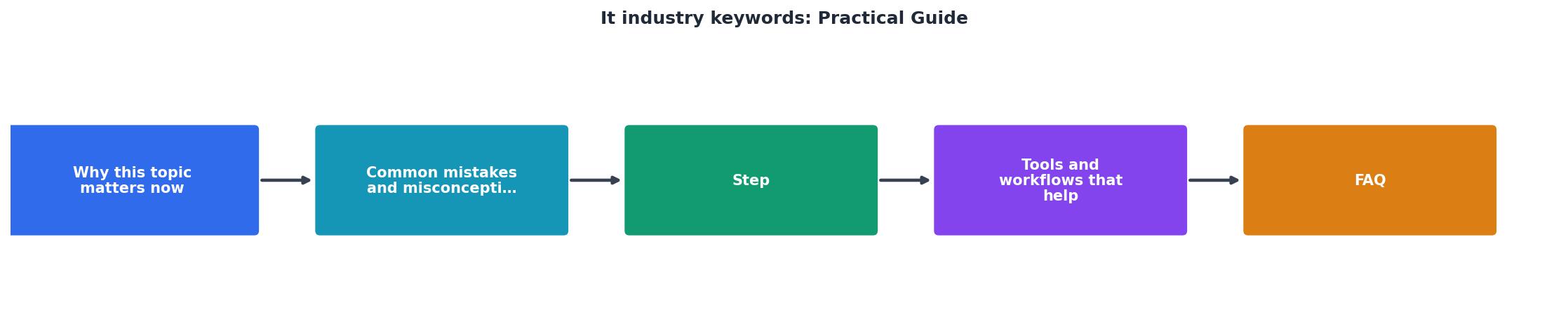
Tools and workflows that help
Job description parser. Copy the job posting into a text editor or spreadsheet and manually highlight keywords, or use a tool like Copyscape or a simple Find & Replace function to identify repeated terms. Some resume builders (including Resumehedgehog) show you which keywords from the job posting appear in your resume, making it easy to spot gaps.
Skills matrix. Create a simple spreadsheet with three columns: Job Title / Posting, Required Keywords, and Your Skills. Fill it in for each application. This visual comparison shows you exactly where you need to add or emphasize skills in your resume.
Resume templates with keyword sections. Many applicant tracking systems struggle with fancy formatting, so stick to clean, simple layouts. Your resume should have clear sections for Technical Skills, Work Experience, and Education. Use the Technical Skills section to list the keywords you're strongest in, this section is heavily scanned by ATS.
LinkedIn keyword alignment. Your LinkedIn profile is scanned by recruiters and ATS systems too. Make sure your LinkedIn headline and Skills section mirror the keywords in your resume. If your resume says "Kubernetes expert" but your LinkedIn skills list doesn't include Kubernetes, it looks inconsistent.
Real workflow example. Let's say you're applying to a backend engineering role at a financial services company. The job posting emphasizes Python, PostgreSQL, Docker, Kubernetes, event-driven architecture, and HIPAA compliance. You extract those keywords, then review your experience:
- You've built Python microservices using PostgreSQL for three years.
- You've containerized applications with Docker and deployed to Kubernetes in production.
- You haven't worked in HIPAA-regulated environments, but you have experience with secure data handling.
Understanding logic gates: A note on foundational knowledge
When reading technical job postings, especially for junior or foundational roles, you'll encounter domain-specific terminology that signals what the employer values. For example, understanding concepts like digital logic is relevant for embedded systems or hardware engineering roles. As one industry guide explains:
"Most logic gates have an input of two binary values, and an output of one value.">, Survival Guide for Tech Dummies: 60 Tech Terms Explained
While you may not need deep expertise in logic gates for most software roles, recognizing this terminology shows you've done your homework on the fundamentals. If a job posting emphasizes digital design or hardware integration, knowing this language helps you understand the role's context and tailor your resume appropriately.
Interactive keyword alignment dashboard
Understanding how well your experience aligns with a job posting is crucial before you even start tailoring. Below is an example of what that alignment might look like for a typical backend engineering role:
This dashboard shows a candidate applying to a backend role who has strong matches on Python, PostgreSQL, Docker, AWS, and Agile. They have partial experience with Kubernetes (used it in non-production environments) and no direct system design experience. A 75% match is competitive, they're not a perfect fit, but they have most of the core skills. The tailoring strategy would be to emphasize their Python and AWS work, mention their Kubernetes exposure as "production deployment experience with container orchestration," and frame their architectural thinking as relevant to system design, even if they haven't done formal systems design work.
FAQ
Frequently Asked Questions
IT Keywords Tailoring Checklist
Your progress is saved automatically in your browser.
Additional Resources
- Survival Guide for Tech Dummies: 60 Tech Terms Explained - A beginner-friendly guide to 60 essential tech terms. Learn the meaning of APIs, SaaS, VPNs, front-end, back-end, and more with clear ...
- 101 Technology Jargon Terms To Know - Technology jargon is a collection of words and phrases used in industries involving computers and software. Object-oriented programming (OOP):
- A-Z Guide: Terms You Need to Know in the Technology ... - This glossary puts all of the most common and essential definitions from the report and beyond in one place with the intention of providing ...