

You sent 40 applications for web strategist roles last month and heard back from exactly one. The problem is almost never your experience. It is the gap between the words on your resume and the words the applicant tracking system is scanning for. This guide gives you the exact keyword categories, extraction methods, and placement tactics that close that gap and get your resume past the filter.
Photo by Markus Winkler from Pexels
TL;DR:- Web strategist resumes need a specific mix of technical, analytical, and strategic keywords pulled directly from each job posting.
- Most applicants fail because they use generic marketing terms instead of the exact phrases the ATS is filtering for.
- A 20-minute keyword extraction and placement routine per application dramatically increases interview callbacks.
Why web strategist keywords matter
Every major employer runs resumes through an ATS before a human sees them. Workday, Greenhouse, Ashby, Lever. These systems score your resume against the job description. If your document says "online marketing" but the posting says "digital strategy," you lose points. Simple as that.
Web strategist is a role that sits at the intersection of UX, analytics, content strategy, and digital marketing. That breadth is the problem. The keyword universe is huge, and every company describes the same responsibilities differently. One posting asks for "conversion rate optimization." Another wants "CRO expertise." A third says "funnel optimization." Same skill, three different keyword matches.
The fix is not stuffing your resume with every possible synonym. It is reading each posting carefully, extracting the specific terms that company uses, and weaving them into your resume naturally.
"Across those submitted applications, ~65% are on Workday, ~19% Greenhouse, ~12% Ashby, and ~4% Lever, Workday is where it saves the most time.">, Web Strategist Resume Keywords for ATS Success
Common keyword mistakes

Most web strategist applicants make the same three errors. Recognizing them saves you from the rejection pile.
Using outdated terminology
The web strategy field evolves fast. Terms like "webmaster," "internet marketing," or "SEO specialist" signal 2015, not 2026. Current postings use phrases like digital experience strategy, omnichannel optimization, product-led growth, and customer journey mapping. If your resume reads like a decade-old job description, the ATS scores it low and the recruiter who does see it moves on.
Keyword stuffing without context
Dropping a wall of buzzwords into a "Skills" section does not work. Modern ATS platforms like Workday evaluate keyword context. They check whether the term appears near a measurable result or inside a job responsibility. "Google Analytics" sitting alone in a skills list scores lower than "Used Google Analytics 4 to identify a 23% drop in checkout completion, then redesigned the payment flow to recover $140K in quarterly revenue."
Ignoring soft-skill keywords
Web strategist roles require cross-functional collaboration. Postings frequently include terms like stakeholder management, cross-functional leadership, A/B testing culture, and data-driven decision making. These are not filler. They are scored keywords. Skip them and you leave points on the table.
Core keyword categories

Web strategist keywords fall into five buckets. You need representation from each one on your resume.
- Technical tools: Google Analytics 4, Adobe Analytics, Hotjar, Semrush, Ahrefs, Screaming Frog, Tag Manager, Looker Studio, Tableau, Figma, WordPress, Contentful, Optimizely
- Strategy frameworks: content strategy, SEO strategy, information architecture, user journey mapping, conversion funnel design, competitive analysis, digital roadmap
- Execution skills: A/B testing, multivariate testing, landing page optimization, CRO, personalization, marketing automation, email segmentation
- Analytics and data: KPI tracking, attribution modeling, cohort analysis, heatmap analysis, session recording review, ROI measurement, data visualization
- Leadership and process: stakeholder alignment, cross-functional collaboration, agile methodology, sprint planning, vendor management, budget ownership
Here is an example dashboard showing how a typical web strategist resume might score across these keyword categories before and after optimization:
Keyword Match Score by Category
Step-by-step keyword extraction
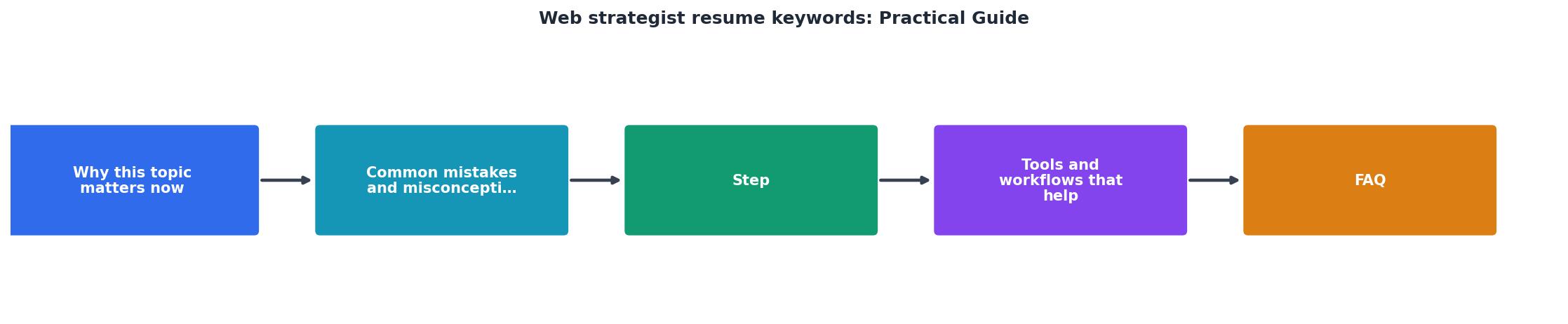
Follow these five steps for every application. The whole process takes about 20 minutes once you have done it a few times.
Step 1: Copy the full job posting. Paste it into a plain text document. Remove the company boilerplate (equal opportunity statements, benefits lists) so you are left with the role description, requirements, and preferred qualifications.
Step 2: Highlight repeated terms. Read through the text and mark every noun phrase that appears more than once. If "digital strategy" shows up three times and "web analytics" appears twice, those are high-priority keywords. Repetition signals importance to the ATS scoring algorithm.
Step 3: Identify required vs. preferred. Separate the keywords into two tiers. Required qualifications keywords must appear on your resume. Preferred qualifications keywords should appear if you genuinely have the skill. Do not fabricate experience.
Step 4: Map keywords to your experience. For each extracted keyword, find a specific accomplishment or responsibility from your career that demonstrates it. Write a bullet point that includes the keyword naturally and adds a measurable result.
Step 5: Place keywords strategically. The most important placement locations are:- Professional summary (top 3-4 lines of your resume)
- Job title variations (if your actual title was "Digital Marketing Manager," add "Web Strategist" in parentheses if the responsibilities matched)
- Bullet points under each role
- Skills section (as a supplement, not a replacement for contextual use)
Tools and workflows that help

Manual keyword extraction works, but it is slow when you are applying to 10+ roles per week. Several tools speed up the process.
Jobscan compares your resume against a job description and gives you a match percentage. It highlights missing keywords and suggests where to add them. Useful for a quick gap analysis.
Resume Hedgehog at resumehedgehog.com takes a different approach. Upload your resume, paste the job description, and it produces a tailored, ATS-optimized version. Instead of just showing you what is missing, it rebuilds the resume to include the right keywords in the right context. That saves the manual rewriting step entirely.
ChatGPT or Claude can extract keywords from a job posting if you prompt them correctly. Ask for "a categorized list of ATS keywords from this job description" and you get a solid starting point. You still need to verify and place them yourself.
| Manual Extraction | Automated Tools |
|---|---|
| 20-30 min per posting | 2-5 min per posting |
| Risk of missing terms | Comprehensive scanning |
| Full control over phrasing | May need manual edits |
| Free | Credit or subscription cost |
| Best for 1-5 applications/week | Best for 10+ applications/week |
Placement that actually works
Where you put keywords matters as much as which keywords you use. ATS algorithms weight certain resume sections more heavily.
The professional summary carries the most weight. Pack your top 5-7 keywords here in natural sentences. Example: "Web strategist with 6 years of experience in conversion rate optimization, digital experience design, and cross-functional stakeholder management. Built and executed SEO strategies that increased organic traffic by 180% for B2B SaaS platforms."
Bullet points under each role should follow the CAR format: Challenge, Action, Result. Each bullet naturally includes 1-2 keywords. "Led A/B testing program across 14 landing pages (Action), improving lead capture conversion by 34% (Result) and reducing cost per acquisition by $12 (Result)."
The skills section acts as a keyword safety net. List tools and methodologies here using the exact terms from the posting. But never rely on this section alone. Context matters.
Web Strategist Keyword Optimization Checklist
Your progress is saved automatically in your browser.
FAQ
Frequently Asked Questions
What keyword category do you find hardest to represent on your web strategist resume? Drop your answer below and let's troubleshoot it together.
You sent 40 applications for web strategist roles last month and heard back from exactly one. The problem is almost never your experience. It is the keywords on your resume, or rather the ones missing from it. This guide walks you through the exact process of finding, selecting, and placing web strategist resume keywords so your application actually reaches a human recruiter.
Photo by Markus Winkler from Pexels
TL;DR:- Web strategist resumes need specific keywords like "content strategy," "conversion optimization," "Google Analytics," and "A/B testing" to pass ATS filters.
- Pull keywords directly from each job posting, then mirror the exact phrasing in your experience bullets.
- A tailored resume with the right keyword density lands interviews; a generic one gets filtered out before anyone reads it.
Why web strategist keywords matter
Most companies use an Applicant Tracking System (ATS) to screen resumes before a recruiter ever opens them. These systems scan for exact keyword matches against the job description. If the posting says "content strategy" and your resume says "content planning," the ATS may score you lower or filter you out entirely.
That number is not a scare tactic. It reflects how aggressively automated screening works across platforms like Workday, Greenhouse, and Lever. Web strategist roles sit at the intersection of marketing, UX, and analytics, which means the keyword pool is broad and the competition for each term is real.
"Across those submitted applications, ~65% are on Workday, ~19% Greenhouse, ~12% Ashby, and ~4% Lever, Workday is where it saves the most time.">, Web Strategist Resume Keywords for ATS Success
The takeaway: your resume needs to speak the same language as the job posting, down to the exact phrases.
Common keyword mistakes
Three mistakes kill web strategist resumes before they reach a hiring manager:
- Keyword stuffing. Cramming every buzzword into a skills section without context. ATS systems in 2026 check for keyword-in-context, not just keyword presence. A wall of terms with no supporting bullet points looks suspicious to both software and humans.
- Using synonyms instead of exact terms. You write "website optimization" when the posting says "conversion rate optimization (CRO)." Close is not close enough. The ATS matches strings, not intent.
- One resume for every application. A generic web strategist resume hits maybe 40% of the keywords in any given posting. A tailored version hits 80% or more. That difference determines whether you get screened in or out.
Compare that to a tailored resume, which typically reaches 75-85% match rate. The gap is the difference between silence and an interview invitation.
Step-by-step keyword extraction
Here is the process I recommend for every web strategist application. It takes about 15-20 minutes per job posting, and it directly increases your interview rate.
1. Copy the job description
Paste the full job posting into a plain text document. Remove formatting so you can see the raw language.
2. Highlight repeated terms
Read through and mark every term that appears more than once. If "SEO strategy" shows up in the responsibilities section and again in the requirements, that is a priority keyword. Look for:
- Hard skills: Google Analytics, SEO, A/B testing, CMS platforms (WordPress, Drupal, Contentful), HTML/CSS, CRO, marketing automation
- Soft skills: cross-functional collaboration, stakeholder management, data-driven decision making
- Tools: HubSpot, Semrush, Hotjar, Google Tag Manager, Tableau, Adobe Analytics
- Certifications: Google Analytics certification, HubSpot Content Marketing certification
3. Check the requirements section
Requirements and qualifications sections contain the non-negotiable keywords. If the posting lists "3+ years experience with marketing automation platforms," that exact phrase belongs on your resume.
4. Match keywords to your experience
For each keyword, find a real accomplishment or responsibility from your background. Write a bullet point that includes the keyword naturally. Example:
Managed website updates and tracked performance- Executed A/B testing campaigns across 12 landing pages using Optimizely, increasing conversion rates by 23% over six months
5. Place keywords strategically
Keywords carry more weight in certain resume sections:
- Professional summary (top of resume): Include 3-4 top keywords
- Job titles and headers: Match the target role title exactly
- Experience bullets: Distribute remaining keywords across your most recent 2-3 roles
- Skills section: List technical tools and platforms
Core web strategist keywords
Here is a reference list of the most common keywords found in web strategist job postings. Not every resume needs all of them. Pick the ones that match the specific posting you are targeting.
The following dashboard shows keyword categories and their frequency across recent web strategist job postings:
Web Strategist Keyword Frequency in Job Postings
Analytics and SEO keywords appear in nearly every web strategist posting. CRO and CMS terms follow closely. If your resume lacks terms from the top three categories, you are leaving interviews on the table.
Tools and workflows that help
Manual keyword extraction works, but it is slow when you are applying to 10+ roles per week. Here are tools that speed up the process:
- Jobscan: Paste your resume and the job description side by side. It scores your keyword match percentage and highlights gaps.
- Resume Hedgehog at resumehedgehog.com: Upload your resume and paste the job description. It produces a tailored, ATS-optimized version with the right keywords already placed in context. This cuts the per-application time from 20 minutes to about 3.
- Google Docs + Ctrl+F: The simplest approach. Paste the job description, search for terms you suspect are important, and count occurrences.
- Semrush or Ahrefs: If you want to research which web strategy terms are trending in job postings across your target industry, these SEO tools can surface keyword clusters.
The jump from 40% to 85% match rate is where the results show up in your inbox.
| Manual Tailoring | Tool-Assisted Tailoring |
|---|---|
| 15-20 min per application | 2-5 min per application |
| Easy to miss keywords | Automated gap detection |
| Inconsistent formatting | Consistent ATS-friendly output |
| Hard to scale past 5 apps/week | Scales to 20+ apps/week |
Measuring your results
After you start tailoring, track two numbers:
- Application-to-callback ratio. Before tailoring, most job seekers see roughly 2-5%. After consistent keyword optimization, 10-15% is realistic.
- Time per application. If tailoring takes longer than 5 minutes with a tool, something in your workflow needs adjustment.
A 3x improvement in callbacks is typical within the first two weeks of consistent tailoring. That is not a guarantee, but it is what the data from job seekers using structured keyword matching consistently shows.
Web Strategist Keyword Optimization Checklist
Your progress is saved automatically in your browser.
FAQ
Frequently Asked Questions
What is the one keyword you keep seeing in web strategist postings that you are not sure how to work into your resume? Drop it below and let's figure it out together.
Additional Resources
- Web Strategist Resume Keywords for ATS Success - Use web strategist resume keywords from real job descriptions and a match-score workflow to tailor your resume without guessing.
- Web Strategist Resume Keywords (2026): 60+ ATS Skills ... - The most important web strategist resume keywords for 2026 include Digital Strategy, Conversion Rate Optimization (CRO), Web Analytics, GA4, A/ ...
- Content Strategist Resume Examples for 2026 - A recruiter-approved Content Strategist resume example in Google Docs and Word format, with insights from hiring managers in the industry. Updated for 2026.
