Application Form Answers: Step-by-Step With Resume Hedgehog
Online application forms ask the same questions over and over, yet most job seekers treat every blank field like a fresh puzzle. You paste generic answers, rush through the experience section, and wonder why the phone never rings. This guide breaks down exactly how to fill out application form answers that match the job posting, pass automated screening, and get you into the interview pile using Resume Hedgehog as your tailoring engine.


Online application forms ask the same questions over and over, yet most job seekers treat every blank field like a fresh puzzle. You paste generic answers, rush through the experience section, and wonder why the phone never rings. This guide breaks down exactly how to fill out application form answers that match the job posting, pass automated screening, and get you into the interview pile using Resume Hedgehog as your tailoring engine.
Photo by RDNE Stock project from Pexels
TL;DR:- Application forms are parsed by ATS software before a human ever reads them. Generic answers get filtered out.
- Tailoring each answer to the specific job description is the single highest-impact change you can make.
- Resume Hedgehog lets you upload your resume, paste the job posting, and get optimized, keyword-matched content you can pull directly into form fields.
Why Application Form Answers Matter Now
Most companies no longer accept emailed resumes. They funnel every candidate through an Applicant Tracking System (ATS) that collects structured data from online forms. That means the text you type into "Describe your relevant experience" is not just read by a recruiter. It is parsed, scored, and ranked by software first.
Three out of four applications never reach a hiring manager's desk. The form answers you provide are the raw material the ATS uses to decide if you move forward or disappear. Sending the same boilerplate answers to every posting is the fastest way to stay invisible.
The shift toward structured application forms also means recruiters spend less time per candidate. They scan pre-filled summaries, keyword highlights, and match scores. If your answers do not echo the language of the job description, you look like a mismatch even when you are perfectly qualified.
"The reason why we should adjust to specific job offer, is because recruiters have limited time to look at your resume.">, Medium
Common Mistakes That Kill Applications

Before walking through the correct approach, here are the mistakes that sink applications daily:
- Copy-pasting your entire resume into every text box. ATS fields have character limits and expect concise, targeted answers. A wall of text gets truncated or scored poorly.
- Ignoring the job description keywords. If the posting says "project management" and you write "coordinated team efforts," the system may not connect the dots.
- Leaving optional fields blank. Optional questions like "Why do you want to work here?" are scored by many ATS platforms. Skipping them signals low effort.
- Using fancy formatting. Bullet characters, tables, and special symbols often break inside form fields. Stick to plain text with line breaks.
- Rushing the "Additional Information" box. This is free real estate. Candidates who use it to address gaps, add certifications, or reinforce fit stand out.
Roughly six in ten applicants submit answers that are not tailored to the specific role. That is your competitive edge: the bar is low, and a little effort goes a long way.
Step-by-Step: Filling Out Application Forms
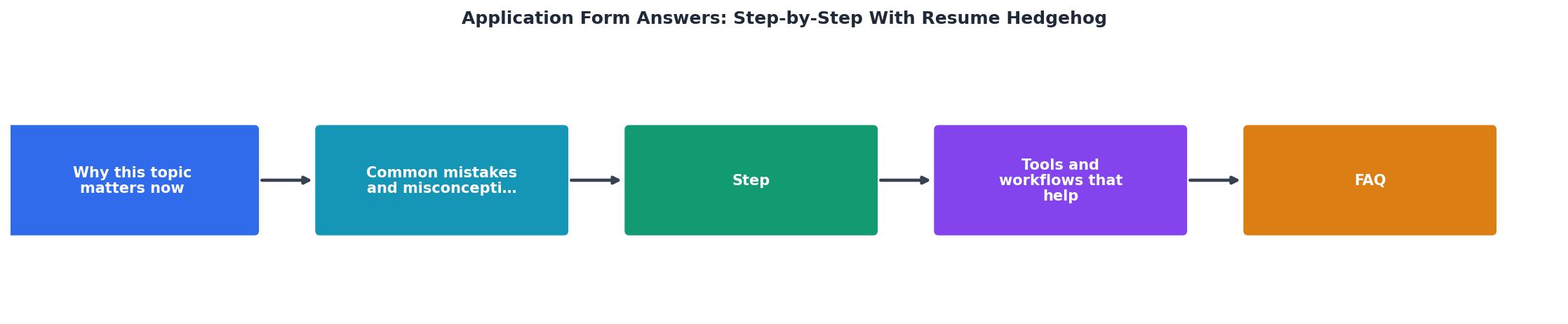
Here is the process, broken into concrete steps you can repeat for every application.
Step 1: Collect Your Materials
Gather three things before you start:
- Your base resume (the most complete version with all roles, skills, and achievements).
- The full job description copied into a plain text file.
- A list of your top 5 achievements with numbers attached (revenue generated, projects delivered, team size managed).
Step 2: Tailor With Resume Hedgehog
Go to www.resumehedgehog.com. Upload your base resume and paste the job description. The tool analyzes both documents and produces a tailored resume that mirrors the posting's language, prioritizes relevant experience, and formats everything for ATS compatibility.
This tailored output becomes your answer bank. Every bullet point, summary sentence, and skill phrase is already optimized for that specific job.
Step 3: Map Answers to Form Fields
Most application forms include these sections:
- Contact information - straightforward, but double-check your email and phone.
- Work experience - pull the tailored bullet points from your Resume Hedgehog output. Use the exact phrasing.
- Education - list degrees, certifications, and relevant coursework.
- Skills - copy the skill keywords directly from the tailored resume. The ATS matches these against the posting.
- Summary / Cover letter box - use the professional summary from your tailored resume as a starting point, then add one sentence about why this specific company interests you.
- Additional information - address anything the form did not cover: certifications, portfolio links, willingness to relocate, or availability.
Step 4: Review and Trim
Read every answer out loud. Cut filler words. Make sure each response stays within the character limit. If a field allows 500 characters, aim for 400 to 480. Too short looks lazy; too long gets truncated.
Step 5: Submit and Track
Save a copy of your answers in a spreadsheet or document. Note the company, role, date submitted, and which tailored resume version you used. This tracking habit pays off when you get a callback three weeks later and need to remember what you wrote.
Tools and Workflows That Help

A solid workflow turns a 45-minute application into a 15-minute one. Here is what that looks like in practice:
| Manual Approach | Resume Hedgehog Workflow |
|---|---|
| Read job posting, guess keywords | Paste job description, get exact keyword matches |
| Rewrite resume bullets by hand | Receive tailored bullets in seconds |
| Hope formatting survives ATS | Get ATS-optimized output ready to paste |
| Repeat from scratch for each job | Upload once, paste new job descriptions as needed |
The time savings compound fast. If you apply to 20 jobs per week and save 30 minutes each, that is 10 hours back. Hours you can spend on networking, interview prep, or just not burning out.
Here is an example dashboard showing what a typical week looks like when you use a structured application workflow:
Weekly Application Tracker (Example)
A 28% callback rate is realistic when every application is tailored. Compare that to the typical 2-5% response rate from generic submissions.
Build a Reusable Answer Library
After a few applications, you will notice patterns. "Describe a time you solved a problem" appears in almost every form. Keep a document with your best answers organized by question type:
- Behavioral questions (conflict, leadership, failure)
- Technical skills (tools, platforms, certifications)
- Motivation questions (why this company, why this role)
- Logistics (availability, salary expectations, relocation)
Application Form Answer Checklist
Your progress is saved automatically in your browser.
FAQ
Frequently Asked Questions
What is the one application form field you always struggle with? Share it below and let's figure out a better answer together.
Additional Resources
- How To Prepare Your Resume To Win A Job Offer With ... - Resume Hedgehog analyses the job offer, company culture and your resume, and asks you questions to rate what motivates you. You don't have to ...
- Resume Hedgehog – AI-Powered Resume Tailoring for Every ... - Tailor your resume, then handle cover letters, form answers, links, and notes without switching apps. a time. Resume Hedgehog drafts an answer from your resume ...
- JOB APPLICATION FORM Questions & Answers for 2020 ... - Career Expert Richard McMunn teaches you how to fill out a job application form for SUCCESS, including writing a personal statement! The video ...

Get the 356 complete recruitment audit (free PDF)
Download the free PDF with 356 reasons hiring stalls, plus optional daily email tips. No credit card.
Get the free PDF 356 reasons · Free download