Formatting Your Resume for ATS-Friendly Entry-Level Positions
When you're just starting out in your career, crafting a resume that stands out can be daunting. But what if your resume never even reaches a human? Many companies use Applicant Tracking Systems (ATS) to filter resumes before they ever reach a hiring manager's desk. For entry-level positions, ensuring your resume is ATS-friendly can make the difference between getting your foot in the door and being left out in the cold.

When you're just starting out in your career, crafting a resume that stands out can be daunting. But what if your resume never even reaches a human? Many companies use Applicant Tracking Systems (ATS) to filter resumes before they ever reach a hiring manager's desk. For entry-level positions, ensuring your resume is ATS-friendly can make the difference between getting your foot in the door and being left out in the cold. This article will guide you through formatting your resume to pass ATS screenings, with tips on layout, font choice, and content organization, while avoiding common pitfalls.
Photo by Markus Winkler from Pexels
TL;DR: Format your entry-level resume for ATS compatibility by focusing on a clean layout, readable font, and clear content organization. Avoid graphics, columns, and overly stylized formats that ATS can't parse. Highlight relevant skills and experiences that match the job description.
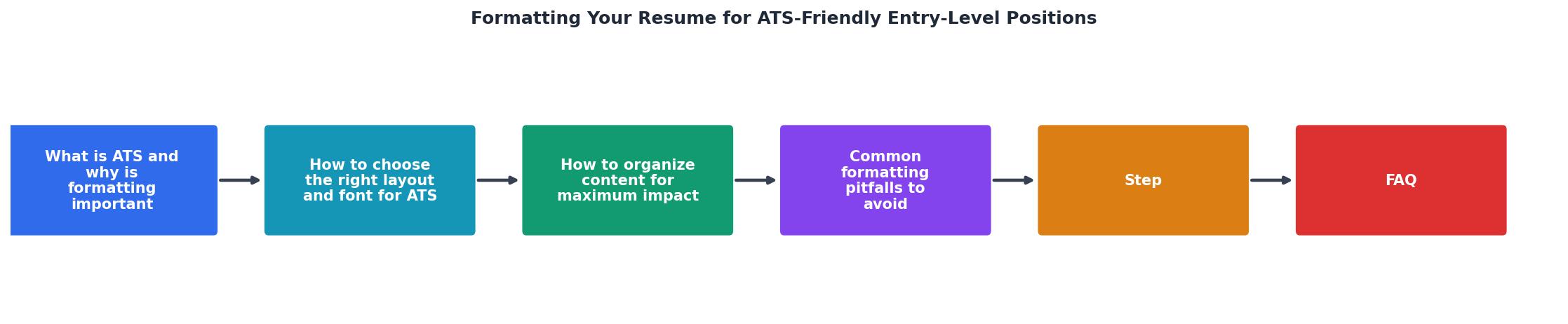
Understanding how to make your resume ATS-friendly is crucial, especially for entry-level positions where competition is fierce. An ATS processes resumes by scanning for relevant keywords and assessing the format. A well-formatted resume can help ensure it reaches the hiring manager's desk. This guide will walk you through the essential components of an ATS-friendly resume, including choosing the right layout, organizing content effectively, and avoiding common formatting mistakes. Let's dive into the details.
What is ATS and Why is Formatting Important?
An Applicant Tracking System (ATS) is software used by employers to manage the recruitment process. It filters resumes based on specific criteria such as keywords, skills, and qualifications. For entry-level job seekers, understanding ATS is essential because it can significantly impact whether your resume gets seen by a human.
An ATS-friendly resume ensures that your qualifications and experiences are accurately interpreted by the system. Formatting plays a pivotal role in this process. If your resume isn't formatted correctly, the ATS might misread or completely skip over important information, reducing your chances of landing an interview.
How to Choose the Right Layout and Font for ATS
Choosing the right layout and font is critical when designing an ATS-friendly resume. Opt for a simple, clean design that allows the ATS to easily parse your information.
Layout Tips:
- Use a single-column format for easy readability.
- Headings should be clear and straightforward, such as "Education," "Experience," and "Skills."
- Avoid graphics, tables, and columns as these can confuse ATS algorithms.
Font Tips:
- Use a font size between 10 and 12 points for the body text and slightly larger for headings.
- Maintain consistent spacing and avoid excessive use of bold or italics.
How to Organize Content for Maximum Impact
Organizing your resume content effectively ensures that the most relevant information is highlighted for the ATS and potential employers.

Structuring Sections:
- Contact Information: Place your name, phone number, email, and LinkedIn profile at the top.
- Objective or Summary Statement: A brief, compelling statement that outlines your career goals and what you bring to the table.
- Education: Include your degree, institution, and graduation date. Mention relevant coursework or honors.
- Experience: List internships, part-time jobs, and volunteer work. Focus on achievements and skills gained.
- Skills: Highlight skills that match the job description. Use bullet points for clarity.
- Additional Sections: Consider adding sections for certifications, languages, or relevant projects.
Common Formatting Pitfalls to Avoid
Avoiding common formatting mistakes can significantly improve your resume's chances of passing through ATS filters.
- Overuse of graphics and colors: Keep it simple to ensure ATS can read your text.
- Using headers and footers for important information: ATS may not read these sections.
- Inconsistent formatting: Stick to a uniform format for headings, fonts, and bullet points.
- Using non-standard section titles: Stick to conventional titles like "Work Experience" instead of creative alternatives.
Step-by-Step Guide with Visual Examples
To put these principles into practice, let's walk through a step-by-step guide to format your resume for ATS compatibility.
- Choose a Template: Start with a simple, ATS-friendly template.
- Insert Contact Information: Ensure it's at the top and easy to read.
- Write a Strong Objective: Tailor it to the job description.
- List Education and Experience: Use bullet points and action verbs.
- Highlight Skills: Match them to the job requirements.
- Proofread: Check for consistency and errors.
Custom HTML Element for Visual Engagement
Understanding the importance of formatting is crucial, but visual engagement can help make the information more digestible. Here's a custom HTML element that showcases key metrics for an ATS-friendly resume.
Key Metrics
This visual highlights the importance of ensuring your resume is ATS-compatible and contains the relevant keywords.
FAQ
Frequently Asked Questions
Are there any other tips or tricks you've found helpful when formatting your resume for ATS? Share your thoughts in the comments below!
Additional Resources
- How to Create an ATS-Friendly Resume for Entry-Level Jobs - This guide explains how to create an ATS-friendly resume for entry-level positions, with practical steps, formatting tips, and common mistakes to avoid, ...
- How To Write an ATS Resume (With Template and Tips) - In this article, we explain what an ATS is, how to format an ATS-friendly resume and how to optimize resume content for ATS scans.
- Best Formats For Entry-Level Resumes - Entry-level resumes benefit most from simple, single-column layouts that prioritize clarity, relevant keywords, and a structure that is easy to scan quickly. ...

Get the 356 complete recruitment audit (free PDF)
Download the free PDF with 356 reasons hiring stalls, plus optional daily email tips. No credit card.
Get the free PDF 356 reasons · Free download