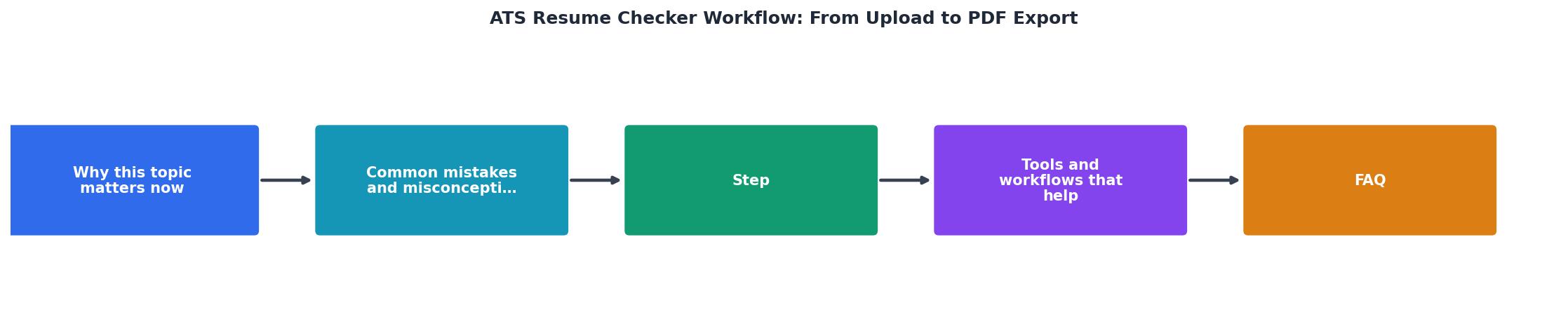
ATS Resume Checker Workflow: From Upload to PDF Export
You've sent your resume to 20 jobs and heard back from one. You're not applying badly, your resume probably isn't making it past the ATS, the software that screens submissions before a human ever sees them. Most job applications die silently at this gate, and you'll never know why. An ATS resume checker fixes that by scanning your resume against a specific job posting, flagging missing keywords, formatting issues, and structural gaps that cause rejections.

You've sent your resume to 20 jobs and heard back from one. You're not applying badly, your resume probably isn't making it past the ATS, the software that screens submissions before a human ever sees them. Most job applications die silently at this gate, and you'll never know why. An ATS resume checker fixes that by scanning your resume against a specific job posting, flagging missing keywords, formatting issues, and structural gaps that cause rejections. Then it exports a clean, ATS-optimized PDF you can actually use.
Photo by Anna Shvets from Pexels
TL;DR:- Upload your resume and paste the job description into an ATS checker to identify keyword gaps, formatting problems, and section mismatches.
- The tool scores your resume's ATS compatibility and highlights exactly what to fix.
- Download the optimized resume as a PDF that passes ATS parsing and appeals to recruiters.
- The entire process takes 2–5 minutes per job application, drastically improving your odds of reaching human review.
Why this matters now
Most applications never reach a recruiter's inbox. Applicant Tracking Systems screen out roughly 75 percent of submissions based on keyword matching, formatting, and structural parsing. If your resume doesn't contain the exact language the ATS is programmed to find, it's rejected automatically, even if you're perfectly qualified.
The problem is silent. You don't get feedback; you just don't hear back. Without knowing whether your resume passed the ATS gate, you can't improve. Sending the same generic resume to 100 jobs guarantees similar generic results.
An ATS resume checker breaks that cycle by giving you real-time visibility into what's failing. You see exactly which keywords the job posting demands, where your resume is missing them, how your formatting affects parsing, and what the ATS actually reads when it scans your file. Then you fix it before submitting, turning a generic rejection risk into a strong match.
Common mistakes and misconceptions
Mistake 1: Using a fancy resume template.
Recruiters love sleek designs with columns, graphics, and unusual fonts. ATS software hates them. These systems parse text linearly, column-by-column, and often break on non-standard layouts. A beautiful resume that fails ATS parsing is worthless. The ATS checker catches this immediately, it shows you exactly what text the system is actually reading, revealing whether your design is sabotaging your content.
Mistake 2: Assuming your resume matches the job.
You think your 5 years in marketing makes you a strong fit for the "Digital Marketing Manager" role. The ATS disagrees because your resume says "marketing" and "campaigns," but the job posting says "demand generation," "marketing automation," and "Marketo." Those exact terms matter. An ATS checker compares your resume against the posting and flags these gaps so you can add the right language.
Mistake 3: Ignoring the job description language.
Many people tailor their resume to their own career narrative instead of the specific job. Job descriptions are written in the language the hiring team uses to search and evaluate. Your resume needs to speak that language. An ATS checker uses the job posting as the source of truth, showing you exactly which keywords and phrases you're missing.
Mistake 4: Treating ATS optimization as dishonest.
Some candidates worry that adding keywords to match a job posting is dishonest. It's not. You're not fabricating experience; you're translating your existing experience into the terminology the job requires. If you've genuinely done the work, using the job's language to describe it is transparent and correct.
Step-by-step approach

Step 1: Gather your materials
Before you start, have three things ready:
- Your current resume in PDF or Word format (doesn't matter; the checker uploads either).
- The full job description pasted or copied as text.
- 5 minutes of focus time (this is fast, but don't rush).
Step 2: Upload your resume
Open an ATS resume checker. Most tools have a simple upload form. Click "Upload Resume" and select your file from your computer. The system reads the file, extracts all the text, and begins parsing.
This is where ATS checkers show you their value: they display what the ATS actually sees, not what your beautiful resume looks like visually. You'll see your resume rendered as plain text in the order an ATS system reads it. Paragraphs stack vertically. Columns disappear. Images vanish. What's left is pure content, and that's what the ATS evaluates.
Step 3: Paste the job description
In the second input field, paste the entire job posting. Include the title, summary, responsibilities, requirements, and benefits, everything. The checker uses this full context to identify keywords and skills.
Step 4: Run the analysis
Click "Check" or "Analyze." The tool scans your resume against the job posting and produces a compatibility score (usually expressed as a percentage). This score reflects how well your resume's content aligns with the job's language and requirements.
You'll see:
- Keyword matches, Skills and terms from the job posting that appear in your resume (green/good).
- Keyword gaps, Essential terms from the posting that your resume is missing (red/critical).
- Formatting issues, Problems that might cause parsing errors (indentation, special characters, unusual sections).
- ATS parsing preview, Your resume as the ATS sees it, line by line.
"Upload your resume for a free Workday ATS score in seconds, keyword gaps, parse feedback, and 16+ quality checks.">, Workday ATS Resume Checker, Free Score
Step 5: Make targeted edits
The feedback is specific. The checker tells you: "The job requires 'Salesforce' but your resume doesn't mention it" or "Your resume has 'Led a team of 5' but the job posting says 'team leadership' and 'staff management.'"
Edit your resume directly in your document to:
- Add missing keywords (especially from the Requirements section of the job posting).
- Replace vague language with the posting's terminology.
- Reorder bullet points to front-load the most relevant experience.
- Fix formatting: remove tables, columns, unusual fonts, or graphics that confuse ATS parsing.
- Add a Skills section if one is missing, ATS systems often scan this section first.
Step 6: Re-check and iterate
Upload your revised resume back into the checker. Your compatibility score should rise. The keyword gaps should shrink. If you're now at 85+ percent match and the feedback is clean (no major parsing issues), you're ready.
If gaps remain, decide whether to add more keywords or accept the trade-off. Some jobs demand skills you don't have; that's a real mismatch, not an ATS problem.
Step 7: Export as PDF
Once your resume passes the ATS check, download it as a PDF. Most checkers provide a button to export directly. PDF is the safest format, it preserves formatting consistently across different applicant tracking systems and devices. Never submit a .doc file if ATS is involved; PDFs render uniformly.
Name the file clearly: [YourName]_Resume_[CompanyName].pdf. Organized files look more professional and are easier to locate later.
Tools and workflows that help
An ATS resume checker is typically a web-based tool that requires no installation. Most operate on a freemium model: one free check per day, or a paid plan for unlimited checks. Resume Hedgehog is an example of a tailored solution that combines ATS checking with resume optimization, producing a finalized PDF in one workflow.
For maximum efficiency:
- Batch checking during active job search: When applying to 5+ jobs in a week, build checking into your routine. Upload, paste, fix, export. 5 minutes per application is faster than generic applications.
- Keep a job keyword spreadsheet: As you check multiple postings, patterns emerge. Certain skills appear across roles. Create a master list and ensure your resume covers the top 10 keywords for your target role.
- Customize per job, not per company: Don't create a different resume for every company. Customize for the role. Two "Senior Product Manager" postings at different companies will demand similar keywords; you can reuse the same resume with minor tweaks.
- Re-baseline your resume annually: Your resume should evolve as your career grows. Use an ATS checker on a strong job posting in your field once a year to ensure your resume still contains the vocabulary of your industry.
Visual: ATS Resume Checker Workflow Dashboard
Here's an interactive dashboard showing how a typical ATS check breaks down across a real job application:
This dashboard shows what you see after running an ATS check on a real application. You're matching 24 out of 31 keywords (the tool tells you which 7 to add), formatting is clean, and the ATS can parse your entire resume correctly. At 78%, you're in the green zone, safe to submit this application with confidence.
ATS Resume Checker Workflow Checklist
Your progress is saved automatically in your browser.
FAQ
Frequently Asked Questions
Additional Resources
- Workday ATS Resume Checker — Free Score - Free Workday ATS resume checker — upload PDF or DOCX for an instant score in seconds. Works for Greenhouse, Taleo, and Lever — no sign-up.
- Best ATS Resume Checker Tools Compared (2026) - Upload your resume (PDF or DOCX) and paste a job description. The entire process takes under 60 seconds. upload-and-check workflow for existing resumes.
- Generate Job-Specific ATS Resumes with Perplexity AI ... - The aim of the ATS Resume Maker according to JD workflow is to automate the creation of an ATS-friendly resume by tailoring a candidate's resume ...

Get the 356 complete recruitment audit (free PDF)
Download the free PDF with 356 reasons hiring stalls, plus optional daily email tips. No credit card.
Get the free PDF 356 reasons · Free download