Effective LinkedIn Resume Sharing Strategies
Sharing your resume on LinkedIn feels straightforward, post it and wait for recruiter messages. The reality is messier. Most resume posts disappear into the feed noise, drowned out by thousands of daily updates. Your resume needs visibility, strategy, and follow-through to cut through that noise and land in front of the right hiring managers and recruiters.

Photo by Zulfugar Karimov from Pexels
Sharing your resume on LinkedIn feels straightforward, post it and wait for recruiter messages. The reality is messier. Most resume posts disappear into the feed noise, drowned out by thousands of daily updates. Your resume needs visibility, strategy, and follow-through to cut through that noise and land in front of the right hiring managers and recruiters.
TL;DR
- Post your resume during peak LinkedIn hours (Tuesday to Thursday, 8–10 AM or 5–6 PM in your target market's timezone)
- Use industry-specific hashtags, tag relevant groups, and mention specific roles or skills to increase reach
- Engage actively with your network after posting, comments and replies extend visibility far beyond your initial post
- Tailor your post copy to the industries and roles you're targeting, not generic "looking for opportunities"
- Follow up with direct connections within 24–48 hours for higher conversion
Posting a resume on LinkedIn without strategy is like sending a generic cover letter to 50 jobs at once, you're broadcasting, not connecting. The platform's algorithm prioritizes engagement, visibility happens through intentional timing and network activation, and real opportunities come from genuine interaction, not passive uploads. This guide walks you through the exact moves that work.
Key Takeaway: Success on LinkedIn depends on three pillars: strategic timing (post Tuesday–Thursday during peak hours in your target timezone), intentional network activation (engage with your top 20–50 contacts within 2 hours of posting), and tailored messaging (speak to the specific industry and role you're targeting, not generic opportunities). Without all three, your resume disappears into the feed noise. With them, you multiply your visibility and turn passive job seeking into active career networking that yields real recruiter interest and interview opportunities.Best times to share your resume

LinkedIn engagement varies wildly by day and hour. Post at the wrong time and your resume sits invisible while your network sleeps or works in meetings.
Tuesday through Thursday see the highest engagement rates, people check LinkedIn during work breaks, mornings before diving into tasks, and evenings unwinding. Monday is noisy and disorganized; Friday energy drops as people mentally check out for the weekend; weekends are dead for professional content unless you're in a global timezone dance.
Within those peak days, 8–10 AM (your target audience's local time) catches the early-morning scroll before standup meetings. The 5–6 PM window catches the "leaving the office" crowd. Midday posts (11 AM to 3 PM) tend to underperform unless you're competing with other professionals.
Frequency matters too. Posting your resume once and ghosting doesn't work. Successful job seekers share updates every 1–2 weeks, not the same post, but fresh angles. New role query, new skill highlight, new project result. LinkedIn's algorithm notices accounts that post consistently and gives them better reach over time.
Time zone is not optional. If you're posting for opportunities in New York, posting at 8 AM Sydney time wastes your shot. Calculate your target market's business hours and post there, not your local time.
Tailoring posts for your target industry
Different industries respond to different resume narratives. A fintech company cares about data integrity and compliance. A startup marketing team wants growth, speed, and scrappiness. A healthcare organization prioritizes patient impact and regulatory knowledge. Your resume post should signal that you speak the language of the industry you're targeting.
Start your post with role and industry specificity. Instead of "Looking for new opportunities," try "Seeking a data analyst role in fintech where I can drive pricing strategy and compliance workflows" or "Open to product management roles in early-stage SaaS, building from zero to product-market fit." This signals who you are without wasting recruiter time guessing.
Include 3–5 specific achievements tied to the industry. A tech company wants to see shipped products and measurable impact. A nonprofit wants community reach and mission alignment. A regulated industry (finance, healthcare, legal) wants compliance history and risk management. Rewrite the same achievement differently for each industry.
Use industry language in your post copy. "Growth hacking" reads better in startup land; "market expansion" in enterprise. "Full-stack ownership" matters in tech; "cross-functional collaboration" in traditional business. If the job description uses specific terminology (OKRs, sprint cycles, customer cohorts, attribution modeling), mirror that language in your post and resume.
Mention specific company types or use cases, not generic industries. "I want to help climate tech startups scale their carbon accounting software" is stronger than "Interested in sustainability roles." Specificity shows research and genuine fit, not spray-and-pray applications.
LinkedIn features that boost visibility

LinkedIn offers several underused levers that directly increase your resume post's reach and credibility.
Hashtags are your primary visibility tool. Use 3–5 relevant hashtags that combine broad and specific: #NowHiring or #JobSearch for reach, but also #DataAnalytics, #MarketingJobs, or #ProductManagement for targeting. LinkedIn's algorithm uses hashtags to categorize posts and surface them to relevant followers. Skip hashtags and you're invisible to people searching those topics.
LinkedIn Groups tied to your industry multiply your exposure. If there's a group for "Data Science Professionals" or "Fintech Careers," post or cross-promote your resume post there. Groups have active moderation and member engagement, which means real eyeballs on your content.
Tagging relevant people or companies matters, but use it sparingly. Tag a CEO or hiring manager only if it's genuinely relevant and you have some connection. Mass-tagging looks spammy and tanks your post with the algorithm. One or two strategic mentions work better than ten desperate tags.
The "Open to Work" badge should be activated on your profile before posting. It's a green banner that tells recruiters you're hiring. This is free and turns your profile into active job-search mode without you posting anything.
Posting as a link or document vs. plain text: LinkedIn gives better visibility to text posts and carousel posts than external links. If you're sharing your resume, describe it in the post text and link it, rather than just dropping a link with no context. The more native the content, the more the algorithm pushes it.
Rich media, adding a short video intro, a carousel of your achievements, or an infographic of your skills, outperforms plain text by 2–3x in engagement. You don't need production value. A 30-second video of you talking about your career goals and what you're looking for generates far more attention than text alone.
"Reduced deployment time by 60% and unlocked $2.5M in annual infrastructure savings. That's the difference between describing activity and proving impact.">, Resume Strategies That Get Results
Engaging with connections after posting
Posting a resume and going silent is the biggest mistake job seekers make. LinkedIn's algorithm suppresses posts with low early engagement. Your job is to activate that engagement within the first 2 hours of posting.
Engage directly with your top 20–50 contacts. Use LinkedIn's messaging feature (or comments, if you prefer public visibility) to personally tell key people about your post. Something like: "Hey, I just posted an update about my job search. I'm focused on product roles in fintech right now, would love to stay top of mind if you hear of anything." This isn't begging; it's transparency and clarity about what you want.
Comment on other people's posts in your industry while your post is live. This keeps your name and profile active and visible, which signals to the algorithm that you're an engaged account. Engagement breeds engagement.
Reply to every comment on your resume post, even if it's just a thumbs-up or congratulations. Respond thoughtfully, answer questions, and ask follow-up questions of your commenters. The more comment threads you spark, the longer LinkedIn keeps your post in people's feeds.
Share your post in your story (LinkedIn's ephemeral story feature). This gives it a second visibility window and reaches people who follow your story but might have missed the main feed post.
Follow up with recruiters and hiring managers who comment or message. Don't ghost them. A recruiter commenting on your post is an open door, walk through it with a brief, professional response and a clear next step (call, coffee chat, application).
How to craft a resume post

Here's a step-by-step approach to writing a resume post that gets traction.
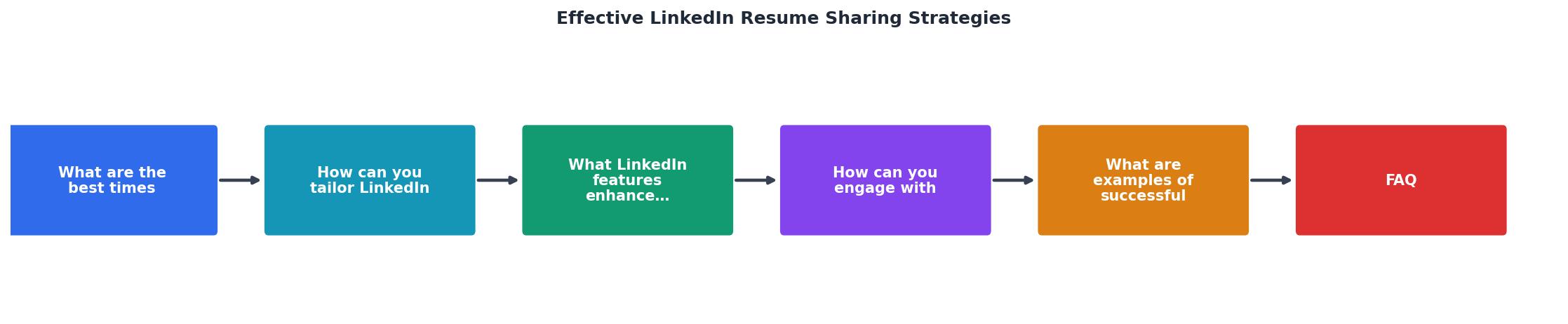
Step 1: Start with specificity. Lead with your target role, industry, and the type of company. "Seeking a VP of Product at Series B/C climate tech startups" beats "Open to opportunities." Clarity attracts the right people and repels the wrong ones, which is exactly what you want.
Step 2: Highlight one concrete win. Pick your best achievement in the past 2–3 years and state it plainly. Numbers matter. "Grew email subscriber base from 50K to 200K in 18 months" or "Led launch of three new products generating $5M ARR." Results are currency on LinkedIn.
Step 3: Use 3–5 industry hashtags. Research hashtags in your field and use the ones with active discussions. #MarketingJobs, #DataScience, #StartupJobs, #HiringNow, these are broad. Layer in specific ones: #ClimateTech, #EdTech, #HealthcareIT. Mix reach and targeting.
Step 4: Write a call to action (CTA). Don't just post and hope. "Drop a note if you're hiring, building, or know someone who should see this" or "If you know of companies hiring for [role], please tag them below" invites engagement and pushes your post higher in feeds.
Step 5: Attach or link your actual resume. Use LinkedIn's document upload feature to attach your resume directly to the post. If you don't, at least link to a PDF or your personal site where people can download it. Make it frictionless.
Step 6: Set a timer for 2 hours. In the first 2 hours, your post lives or dies by engagement. Have a list of people ready to comment, engage with them immediately, and reply to every comment or message. Be present.
Successful resume post examples
Example 1: The Specificity Play
"Seeking a Senior Product Manager role at B2B SaaS companies in the HR tech or fintech space. I've led three product launches generating $8M in ARR and built teams from 1 to 8 people. I'm hands-on, data-driven, and obsessed with reducing friction for customers. #ProductManagement #SaaS #Hiring [Resume attached]"
Why it works: Specific role, specific industries, concrete number, clear value, hashtags, CTA.
Example 2: The Narrative Play
"After three years scaling marketing at a Series A startup, I'm ready for the next challenge: leading growth strategy at a company that's already found product-market fit. Here's what I bring: proven ability to build demand gen from scratch, manage $2M+ budgets, and recruit and mentor high-performers. [Resume and recent work samples] #MarketingLeadership #GrowthStrategy #StartupJobs"
Why it works: Career arc, concrete capabilities, numbers, clear next step, relevant hashtags.
Example 3: The Career-Change Play
"I'm transitioning from operations management to product management. After five years optimizing workflows and leading cross-functional teams, I've realized I want to build products, not just manage their execution. I'm targeting B2B SaaS and early-stage startups where my operational rigor meets product curiosity. #ProductManagement #CareerChange #StartupJobs [Resume + portfolio]"
Why it works: Honest about the pivot, connects previous experience to new role, explains motivation, specific targets, supporting materials.
Practical checklist for LinkedIn resume sharing
LinkedIn Resume Sharing Checklist
Your progress is saved automatically in your browser.
Creating your visibility dashboard
Understanding what's working requires baseline data. LinkedIn doesn't expose full engagement metrics publicly, but you can track what's working on your end.
Post Performance Tracker
Track this simple dashboard for every resume post: what time you posted, how many comments in the first 2 hours, profile visits the week after, direct messages, and recruiter outreach. Over three or four posts, patterns emerge. You'll see that Tuesday 9 AM in your market gets 3x more comments than Friday 2 PM. You'll notice that posts with video get 2x more DMs than text-only. This data is gold, use it to refine your timing and format.
FAQ
Frequently Asked Questions
Before you hit post, remember that your resume post is not the destination, it's the beginning of a conversation. The real win happens after you post, when you engage directly with your network, respond to comments, and follow up with people who show interest. Visibility without follow-through is noise. Strategy plus action gets you the interview.
Additional Resources
- Share and manage your resumes with recruiters - Navigate to the Jobs tab. · Click on Preferences. · In the pop-up modal, click on Resumes and application data. · Toggle on Share resume data with recruiters to ...
- Resume Strategies That Get Results - Share metrics and measurements. Be specific, not vague. * Focus on details unique to you that align with the target audience's requirements. If you don't ...
- Maximize Visibility with LinkedIn's Resume-Sharing - Find out how to unlock the newest LinkedIn feature to share your resume with recruiters without others seeing.

Get the 356 complete recruitment audit (free PDF)
Download the free PDF with 356 reasons hiring stalls, plus optional daily email tips. No credit card.
Get the free PDF 356 reasons · Free download