Resume Fixes: Get 3 Free Tips Before You Sign Up
You sent out 40 applications last month and got two auto-rejection emails and a whole lot of silence. The problem is almost never your experience. It is your resume, and specifically three fixable mistakes that trip up applicant tracking systems before a human ever reads your name. This guide gives you three concrete, free resume fixes you can apply in under an hour, no sign-up required, so you can start landing interviews today.


You sent out 40 applications last month and got two auto-rejection emails and a whole lot of silence. The problem is almost never your experience. It is your resume, and specifically three fixable mistakes that trip up applicant tracking systems before a human ever reads your name. This guide gives you three concrete, free resume fixes you can apply in under an hour, no sign-up required, so you can start landing interviews today.
Photo by Lukas Blazek from Pexels
TL;DR:- Most resumes get rejected because of formatting errors, missing keywords, and vague bullet points.
- You can fix all three for free before committing to any tool or service.
- Matching your resume language to the job posting is the single highest-impact change you can make.
The Real Reason Applications Disappear
Sending the same resume to every job opening feels efficient. It is not. Applicant tracking systems parse your document, extract keywords, and score you against the job description. If your resume does not contain enough matching terms, it never reaches a recruiter's screen.
That number is not a scare tactic. It reflects how automated screening works at companies using ATS platforms like Workday, Greenhouse, and Lever. The system is not judging your talent. It is matching strings of text. And that is actually good news, because text is something you control completely.
The three fixes below target the exact points where most resumes fail that automated check. Each one is free, takes less than 20 minutes, and requires nothing more than a word processor and the job posting you want to apply for.
Fix 1: Strip Fancy Formatting

ATS parsers choke on columns, text boxes, headers, footers, and embedded images. That two-column template from Canva looks great as a PDF on your screen. Inside an ATS, it turns into scrambled text with your job titles mixed into your contact info.
Here is what to do right now:
- Open your resume in Google Docs or Word.
- Remove all multi-column layouts. Switch to a single-column structure.
- Delete text boxes. Replace them with plain paragraphs.
- Move your name and contact details out of the header/footer and into the main document body.
- Use standard section headings: "Experience," "Education," "Skills." Not "Where I've Made an Impact" or "My Journey."
- Save as a
.docxfile. Most ATS platforms parse.docxmore reliably than PDF.
This single change eliminates the most common technical reason resumes get auto-rejected. You are not dumbing down your resume. You are making it machine-readable so it can reach the human who will appreciate your experience.
Fix 2: Mirror the Job Posting Keywords

Open the job description you want to apply for. Read it twice. Now look at your resume. Do the same terms appear?
Keyword matching is the core of ATS scoring. If the posting says "project management" and your resume says "managed projects," you might score lower. If the posting lists "Salesforce" and you wrote "CRM platform," the system may not connect the dots.
Here is the free process:
- Copy the job description into a document.
- Highlight every skill, tool, certification, and responsibility mentioned.
- Compare those terms against your resume, line by line.
- Where you have the matching experience but used different words, update your resume to use the exact phrasing from the posting.
- Add a Skills section near the top that lists the top 8-12 keywords from the posting, but only ones you genuinely possess.
This is the step where a tool like Resume Hedgehog saves serious time. Upload your resume, paste the job description, and it identifies the gaps and rewrites your bullets to match. But even without a tool, the manual process above works. It just takes longer.
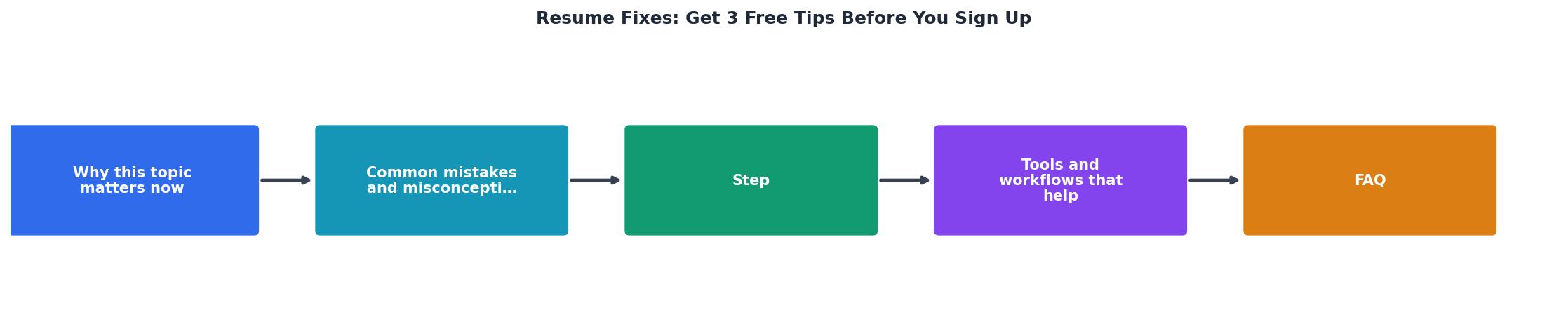
Here is a quick look at how the three fixes flow together from start to finish:
Fix 3: Replace Vague Bullets with Results

This fix is what separates a resume that passes the ATS from one that actually gets you hired. Once a recruiter sees your document, they spend about 6-7 seconds on the first scan. Vague bullets like "Responsible for team management" tell them nothing.
Quantified achievements tell them everything.
| Vague Bullet | Results-Driven Bullet |
|---|---|
| Led a 12-person sales team that exceeded quarterly targets by 18% | |
| Resolved 95% of escalated customer issues within 24 hours, improving CSAT score from 3.2 to 4.6 | |
| Planned and executed 6 email campaigns generating $140K in pipeline revenue | |
| Co-managed a $2.3M departmental budget, reducing overhead costs by 11% |
The formula is simple: Action verb + specific task + measurable result. Not every bullet needs a dollar figure. Percentages, timeframes, team sizes, and volume counts all work.
Go through your resume and rewrite your top 3-5 bullets per role using this formula. Start with your most recent position. If you do not remember exact numbers, use reasonable estimates and round them. "Approximately 200 clients" is infinitely better than "many clients."
What These Fixes Look Like Together
Here is an example dashboard showing the impact of applying all three fixes to a typical resume. The numbers represent a realistic before-and-after scenario for someone applying to mid-level marketing roles:
Resume Fix Impact
The jump in ATS parse accuracy alone explains why so many applications vanish. When nearly half your resume content gets scrambled by the parser, your keyword score tanks regardless of your actual qualifications.
Common Mistakes That Undo Good Fixes
Even after applying the three fixes above, a few habits can sabotage your results:
- Using one resume for every application. Each job posting uses different language. A resume tailored for a "Digital Marketing Manager" role will score poorly against a "Growth Marketing Lead" posting, even if the jobs are nearly identical.
- Ignoring the job title line. Your resume's job title for each role should reflect what you actually did, but if the posting uses a specific title and your experience matches, consider aligning your title closer to theirs.
- Overloading the skills section. Listing 30 skills dilutes the ones that matter. Pick the 8-12 that appear in the posting and that you can discuss confidently in an interview.
- Skipping the proofread. Typos do not just look unprofessional. They can break keyword matching. "Pyhton" will not match "Python" in an ATS scan.
Resume Fix Action Checklist
Your progress is saved automatically in your browser.
FAQ
Frequently Asked Questions
Additional Resources
- Comment TOOL and I'll send you my free resume score ... - If you keep getting rejected, don't keep sending the same resume. Fix what's not working first. I recommend is you try to apply within 24 hours ...
- How To Fix A Resume That Keeps Getting Rejected - Why Your Resume Gets Ignored (And Resume Writing Tips To Fix It) If you're sending out job applications and hearing crickets, ...
- Tips To Fix Your Resume Before You Apply for a Job - How to fix your resume · 1. Proofread your resume · 2. Style choices · 3. Formatting · 4. Header · 5. Summary statement · 6. Education · 7. Experience.

Get the 356 complete recruitment audit (free PDF)
Download the free PDF with 356 reasons hiring stalls, plus optional daily email tips. No credit card.
Get the free PDF 356 reasons · Free download