Resume optimization guide #9: teacher to instructional design
Teachers apply to instructional design roles every day and hear nothing back. The problem is rarely a lack of relevant skills. It is a resume that still reads like a teaching resume instead of an instructional design resume. This guide walks you through the exact translation process so your classroom experience lands interviews in corporate L&D, edtech, and higher-ed design teams.

Teachers apply to instructional design roles every day and hear nothing back. The problem is rarely a lack of relevant skills. It is a resume that still reads like a teaching resume instead of an instructional design resume. This guide walks you through the exact translation process so your classroom experience lands interviews in corporate L&D, edtech, and higher-ed design teams.
Photo by Markus Winkler from Pexels
TL;DR:- Teachers already own 70%+ of the skills instructional designers need: needs analysis, curriculum mapping, assessment design, and learner engagement.
- The gap is language, not ability. Your resume must swap education jargon for L&D terminology and highlight design tools, measurable outcomes, and project scope.
- A targeted rewrite that maps each teaching accomplishment to an instructional design competency can double your interview rate.
Why teachers make strong instructional designers
Teaching is applied instructional design. Every lesson plan you wrote followed a design process: identify the learning objective, choose activities, build materials, deliver instruction, and assess results. That loop mirrors ADDIE, SAM, and every other ID framework corporate teams use.
The disconnect happens on paper. Hiring managers scanning for "storyboarding," "Articulate Storyline," or "learning management system" skip right past "differentiated instruction" and "formative assessment." Your resume needs a vocabulary transplant, not a career overhaul.
The transferable skill overlap is enormous. Needs analysis maps to student data review. Curriculum design maps to course architecture. Summative assessments map to evaluation strategy. Once you see the parallels, rewriting becomes a translation exercise.
Common mistakes that kill teacher-to-ID resumes

Most career-changers make the same handful of errors. Recognizing them saves you rounds of silent rejections.
- Listing duties instead of design outcomes. "Taught 9th grade biology" tells a recruiter nothing about your design capability. "Designed and delivered a 36-week biology curriculum for 120 students, increasing state assessment pass rates by 14%" tells them everything.
- Ignoring ATS keywords. Applicant tracking systems filter resumes before a human sees them. If the job posting says "eLearning development" and your resume says "online lesson creation," the system scores you lower.
- Omitting tools entirely. Instructional design postings almost always list tools: Articulate Storyline, Rise 360, Adobe Captivate, Camtasia, or an LMS like Canvas, Blackboard, or Moodle. If you used Canvas to build modules, say so explicitly.
- Keeping a teaching-format resume. Education resumes often lead with certifications and philosophy statements. ID resumes lead with a professional summary, a skills section loaded with relevant keywords, and project-based experience bullets.
- Burying transferable skills. Collaboration with subject matter experts (SMEs) is a core ID task. You did this every time you worked with a department head, a special education coordinator, or an outside curriculum vendor. Name it.
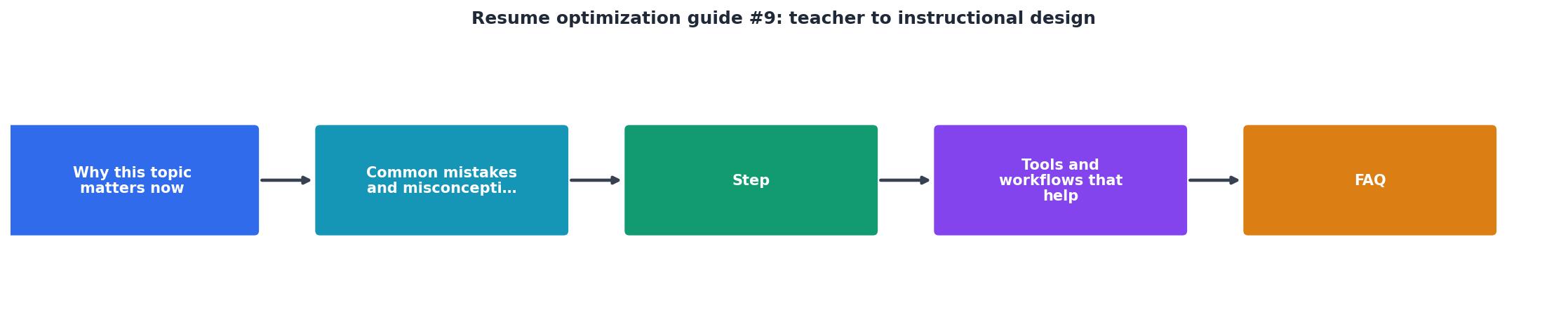
Step-by-step resume translation
This is the core process. Follow these steps in order, and you will have a resume that reads like an instructional designer wrote it.
1. Audit the target job posting
Pull up three to five real instructional design job descriptions. Highlight every repeated keyword: "storyboard," "ADDIE," "learning objectives," "Articulate," "SCORM," "needs assessment," "stakeholder." These are your target terms.
2. Build a skill translation table
Create two columns. Left column: your teaching experience. Right column: the ID equivalent.
| Teaching language | Instructional design language |
|---|---|
| Lesson planning | Curriculum/course design |
| Differentiated instruction | Learner-centered design |
| Classroom management | Facilitation & engagement strategy |
| Parent-teacher conferences | Stakeholder communication |
| Grade-level team meetings | SME collaboration |
| Google Classroom / Canvas | LMS administration |
| Student assessments | Evaluation & assessment design |
| IEP accommodations | Accessibility & UDL compliance |
3. Rewrite your professional summary
Drop the teaching objective statement. Replace it with a 3-sentence summary that positions you as a designer.
Before: "Dedicated 7th grade English teacher with 8 years of experience fostering student growth."
After: "Instructional designer with 8 years of experience designing, developing, and delivering curriculum for diverse learner populations. Skilled in needs analysis, backward design, assessment strategy, and LMS-based course delivery using Canvas and Google Workspace. Seeking to apply learner-centered design expertise in a corporate or edtech environment."
4. Translate each bullet point
Every experience bullet should follow this pattern: Action verb + ID-relevant task + measurable result.
Taught reading comprehension to 5th graders.- Designed and facilitated a 40-week reading comprehension program for 90 learners, improving standardized reading scores by 18%.
Created worksheets and activities for math class.- Developed supplemental learning materials and formative assessments aligned to Common Core standards, reducing remediation needs by 22%.
5. Add a dedicated skills section
Group skills into categories that match ID postings:
- Design frameworks: ADDIE, Backward Design, UDL
- Authoring tools: Articulate Storyline, Rise 360, Canva, Google Slides
- LMS platforms: Canvas, Google Classroom, Schoology
- Media tools: Camtasia, Loom, Canva Video
- Soft skills: SME collaboration, project management, learner needs analysis
6. Include a portfolio mention
Even one sample project matters. If you built an online module, a training guide, or a self-paced course, link to it. A short portfolio section at the bottom of your resume or a link in your summary line signals you are serious about the transition.
"[RELATED] Learn how to write an effective cover letter when applying for an Instructional Designer position.">, Instructional Designer Resume Guide: Stand Out & Get Hired
Tools and workflows that speed this up

Manually rewriting your resume for every posting is brutal. A few tools cut the time dramatically.
- Resume Hedgehog (www.resumehedgehog.com): Upload your current resume, paste the job description, and get an optimized, ATS-friendly version with the right keywords mapped in. This is especially useful for career changers because the tool identifies gaps between your existing language and the target role's terminology.
- Jobscan: Compares your resume against a job posting and gives a match score. Useful for a quick keyword gap check.
- Articulate 360 free trial: If you have zero authoring tool experience, spend a weekend building one short module in Rise 360. That single project gives you a legitimate portfolio piece and a tool to list on your resume.
- LinkedIn Learning / Coursera: Short instructional design certificates (like the Google UX Design Certificate or ATD's ID foundations) add credibility and keywords simultaneously.
Resume Transformation Snapshot
What hiring managers actually look for

I talked to L&D managers who hire former teachers regularly. The pattern is consistent. They want to see three things:
- Evidence you can design for adults. Teaching kids and training adults share principles, but the context differs. If you have tutored adults, led professional development sessions for colleagues, or created onboarding materials for new teachers, highlight those experiences first.
- Tool familiarity, even at a basic level. You do not need to be an Articulate expert. But listing "Articulate Storyline (foundational)" or "Camtasia (screen recording and editing)" shows you are investing in the transition.
- Project-based thinking. Corporate ID work is project-based: define scope, collaborate with SMEs, build deliverables, meet deadlines. Frame your teaching experience as projects. "Led a cross-departmental curriculum redesign project over 4 months, coordinating with 6 subject-matter experts" reads like ID work because it is.
Teacher-to-ID Resume Rewrite Checklist
Your progress is saved automatically in your browser.
FAQ
Frequently Asked Questions
Additional Resources
- Instructional Designer Resume Guide: Stand Out & Get Hired - An instructional design resume follows a set order: header, profile summary, skills, work experience, education, and then optional extras.
- Instructional Design Resume; 8 Tips To Stand-Out - Learn what you can do to begin building your Instructional Design resume and set you up for success with your career transtion from teaching.
- How to Transition From Teacher to Instructional Designer ... - How do you transition from teacher to instructional designer? This guide shows you the exact steps to start your instructional design ...

Get the 356 complete recruitment audit (free PDF)
Download the free PDF with 356 reasons hiring stalls, plus optional daily email tips. No credit card.
Get the free PDF 356 reasons · Free download