Checklist: ATS-friendly Data Analyst resume (2027)
You spent three hours perfecting your Data Analyst resume, hit submit, and heard nothing back. Not a rejection, not a request for more info, just silence. The problem is almost never your qualifications. It is the way your resume talks to the software that reads it before any human does.

You spent three hours perfecting your Data Analyst resume, hit submit, and heard nothing back. Not a rejection, not a request for more info, just silence. The problem is almost never your qualifications. It is the way your resume talks to the software that reads it before any human does.
Photo by RDNE Stock project from Pexels
TL;DR:- Most Data Analyst resumes get filtered out by Applicant Tracking Systems (ATS) because of formatting issues, missing keywords, or vague bullet points.
- This checklist covers every element you need: file format, section order, keyword placement, quantified achievements, and skills alignment.
- Follow it top to bottom before every application, and you will consistently land in the "yes" pile.
Why ATS compliance matters in 2027
Applicant Tracking Systems are not new, but they keep getting smarter. In 2027, most mid-size and enterprise companies run every incoming resume through software like Workday, Greenhouse, Lever, or iCIMS before a recruiter ever opens it. If your resume does not parse correctly, it gets scored low or dropped entirely.
That number is not a scare tactic. It reflects how aggressively automated screening works when hundreds of applicants compete for a single Data Analyst opening. The fix is not gaming the system. It is structuring your resume so the parser reads it the same way a human would.
Data Analyst roles specifically attract large applicant pools because the title spans industries: finance, healthcare, e-commerce, logistics, SaaS. Every company with data needs analysts. That means more competition per posting and a higher chance your resume gets lost in the noise.
Common mistakes that kill your chances

Before the checklist, here are the mistakes I see most often on Data Analyst resumes:
- Fancy templates with columns and graphics. Two-column layouts, icons for skill levels, and sidebar sections confuse most ATS parsers. The system reads left-to-right, top-to-bottom. Columns scramble that order.
- Submitting as a designed PDF or image-based file. Some design tools export PDFs with text embedded as images. The ATS cannot extract any text from those files.
- Listing tools without context. Writing "SQL, Python, Tableau, Excel" in a skills section is fine, but if those words never appear in your bullet points, the ATS may not weight them properly.
- Vague accomplishments. "Analyzed data to support business decisions" tells the parser nothing specific. It also tells the recruiter nothing specific.
- Ignoring the job description. Every posting uses slightly different terminology. One company says "data visualization," another says "dashboard development." If you do not mirror the exact phrasing, the keyword match drops.
Step-by-step: build your ATS-ready resume
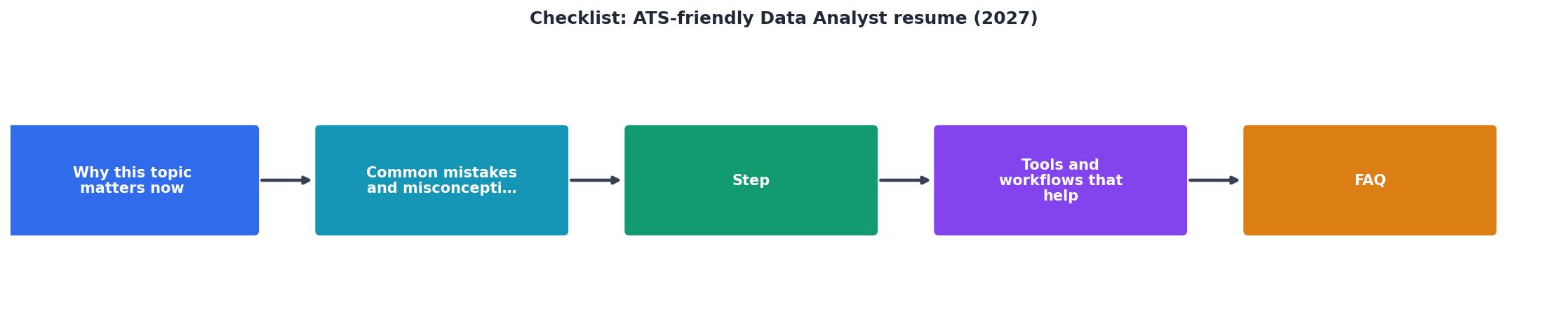
Follow these steps in order. Each one builds on the previous.
1. Choose the right file format
Save your resume as a .docx or a text-based .pdf. If you are unsure whether your PDF is text-based, try selecting and copying text from it. If you can paste it into a plain text editor and it reads correctly, you are good.
2. Use a single-column layout
One column. Standard fonts like Calibri, Arial, or Georgia at 10-12pt. No tables for layout, no text boxes, no headers/footers for contact info. Put your name, email, phone, LinkedIn URL, and city/state at the very top of the document body.
3. Follow standard section headings
ATS parsers look for specific section labels. Use these exact headings:
- Summary or Professional Summary
- Experience or Work Experience
- Skills or Technical Skills
- Education
- Certifications (if applicable)
- Projects (optional, useful for early-career analysts)
4. Write a targeted summary
Two to three sentences. Include your job title, years of experience, core tools, and one measurable result.
"Results-oriented data analyst with 5+ years of experience leveraging data to drive business decisions.">, 19 Data Analyst Resume Examples for 2026
That example works because it names the role, quantifies experience, and states the outcome. Adapt it to your own background and the specific posting.
5. Mirror keywords from the job description
Open the job posting side by side with your resume. Identify every hard skill, tool, and methodology mentioned. Common Data Analyst keywords in 2027 include:
- SQL, Python, R
- Tableau, Power BI, Looker
- ETL pipelines, data warehousing
- A/B testing, statistical analysis
- Stakeholder reporting, KPI tracking
- dbt, BigQuery, Snowflake, Databricks
6. Quantify every bullet point
Each bullet under your work experience should follow this pattern: Action verb + what you did + measurable result.
Analyzed sales data for the marketing team.- Built a weekly sales dashboard in Tableau that reduced report generation time by 4 hours per week and surfaced a 12% revenue drop in Q3 2026.
Tools and workflows that help

You do not have to do all of this manually for every application. Several tools exist to speed up the process:
- Jobscan scans your resume against a job description and gives you a keyword match score.
- Resume Hedgehog at www.resumehedgehog.com takes your existing resume and a job posting, then produces a tailored, ATS-optimized version automatically. Upload, paste, download. That is the entire workflow.
- Google Docs with a clean single-column template works well for manual editing and exports to both
.docxand.pdf.
Here is a quick comparison of the manual versus automated approach to resume tailoring:
| Manual Tailoring | AI-Assisted Tailoring |
|---|---|
| 30-60 min per application | 2-5 min per application |
| Easy to miss keywords | Systematic keyword matching |
| Inconsistent formatting | Consistent ATS-safe output |
| Hard to scale past 10 apps | Scales to 50+ applications |
The following card shows what a typical tailoring workflow looks like in terms of time investment per application:
ATS Resume Tailoring Workflow
Skills section done right

Your Technical Skills section is the ATS keyword goldmine. Structure it in categories:
- Languages: SQL, Python, R
- Visualization: Tableau, Power BI, Looker, matplotlib
- Databases: PostgreSQL, BigQuery, Snowflake, Redshift
- Tools: Excel (advanced), dbt, Airflow, Jupyter Notebooks
- Methods: Regression analysis, A/B testing, cohort analysis, forecasting
ATS-Friendly Data Analyst Resume Checklist (2027)
Your progress is saved automatically in your browser.
FAQ
Frequently Asked Questions
What is the one change on this checklist that you think would make the biggest difference for your resume? Drop your answer below.
Additional Resources
- 19 Data Analyst Resume Examples for 2026 - Real examples and templates of Data Analyst resumes, updated for your 2026 job search. Ace your data analyst resume with this comprehensive checklist. into an ...
- Watch me create a KILLER data analyst resume in 10 minutes ... - I'll walk you through creating a winning data analyst resume from scratch using the exact template and formula that helped me land multiple job ...
- Data Analyst Resume Keywords (ATS Checklist) - This guide gives you a practical, copy-friendly checklist of high-signal keywords for data analysts, plus a method to tailor them quickly so ...

Get the 356 complete recruitment audit (free PDF)
Download the free PDF with 356 reasons hiring stalls, plus optional daily email tips. No credit card.
Get the free PDF 356 reasons · Free download