Checklist: ATS-friendly Software Engineer resume (2027)
You rewrote your resume three times last weekend, submitted it to a dozen companies, and heard nothing back. The problem is almost never your skills. It is the invisible filter sitting between your PDF and a human recruiter. This checklist walks you through every element an Applicant Tracking System inspects on a software engineer resume in 2027, so your application actually reaches someone who can say yes.

You rewrote your resume three times last weekend, submitted it to a dozen companies, and heard nothing back. The problem is almost never your skills. It is the invisible filter sitting between your PDF and a human recruiter. This checklist walks you through every element an Applicant Tracking System inspects on a software engineer resume in 2027, so your application actually reaches someone who can say yes.
Photo by Jakub Zerdzicki from Pexels
TL;DR:- Use a single-column layout, standard section headings, and a
.docxor plain.pdffile to pass ATS parsing. - Mirror exact keywords from the job posting: programming languages, frameworks, tools, and soft skills.
- Quantify achievements with numbers (latency reduced 40%, deployed to 2M users) instead of listing duties.
- Run your resume through an ATS-simulation tool or Resume Hedgehog before every submission.
Why ATS compliance matters in 2027
Roughly three out of four large employers use an ATS to screen resumes before a recruiter ever opens them. That number has only grown since automated hiring pipelines became standard across mid-size companies too.
For software engineers specifically, the stakes are higher than for most roles. Job postings for a single backend or full-stack position routinely attract 200+ applicants. The ATS narrows that pile to 10-15 resumes in seconds. If your formatting confuses the parser, or your resume lacks the right keywords, you are invisible regardless of your GitHub contributions or system-design experience.
"Most ATS are designed like a database, but some may offer an ability to rate or score applicants based on the information it parses from a resume and comparing it to the job posting.">, Make your resume ATS
The takeaway: an ATS does not read your resume the way a person does. It extracts, categorizes, and scores. Your job is to make extraction effortless and scoring favorable.
Common mistakes that kill your score

Most software engineers make the same handful of errors. Fixing these alone can double your callback rate.
- Multi-column or sidebar layouts. Tools like Workday, Greenhouse, and Lever parse top-to-bottom, left-to-right. A two-column design scrambles the text order, mixing your skills section into your job titles.
- Graphics, icons, and progress bars for skills. A human sees a neat bar chart showing "Python 90%." The ATS sees nothing. Skill-level graphics are not parseable text.
- Custom section headings. Naming your work history "Where I've Made an Impact" instead of "Experience" or "Work Experience" means the parser cannot categorize it. Stick to standard labels: Summary, Experience, Education, Skills, Certifications.
- Header/footer contact info. Many ATS parsers skip headers and footers entirely. Put your name, email, phone, LinkedIn URL, and GitHub link in the main body of the document.
- Keyword stuffing in white text. Some candidates hide a wall of keywords in white font. Modern ATS tools detect this and flag the resume as manipulated. Do not do it.
Step-by-step: build your ATS-ready resume
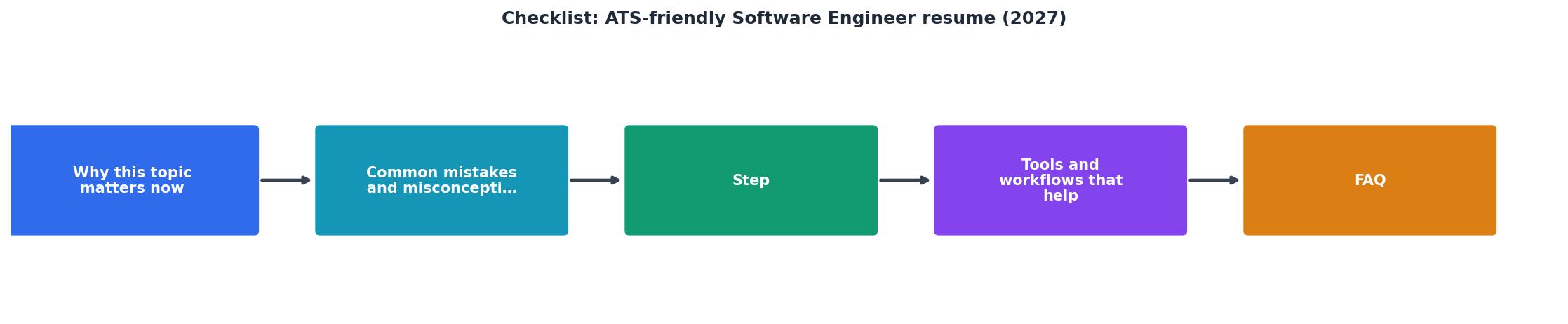
Follow these steps in order. Each one builds on the previous.
1. Start with a clean template
Open a blank document in Google Docs or Word. Use a single-column layout, 10.5-12pt font (Calibri, Arial, or Garamond), and standard 0.5-1 inch margins. No tables, no text boxes, no columns.
2. Write a targeted summary
Two to three sentences at the top. Include your years of experience, primary tech stack, and the type of role you are targeting. Example:
Software engineer with 5 years building distributed backend services in Go and Python. Shipped features serving 12M daily active users at a Series C fintech startup. Looking for a senior backend role focused on reliability and scale.
3. Mirror keywords from the job posting
Read the job description line by line. Pull out every technology, framework, methodology, and soft skill mentioned. If the posting says "Kubernetes," your resume says "Kubernetes," not "K8s" alone. Include both the abbreviation and the full term where space allows: CI/CD (Continuous Integration / Continuous Deployment).
4. Structure experience with metrics
For each role, use this pattern:
- Job Title | Company Name | City, State | MM/YYYY - MM/YYYY
- Bullet points starting with an action verb, containing a measurable result.
5. List skills in a dedicated section
Create a Skills section with comma-separated keywords grouped by category:
- Languages: Python, Go, TypeScript, Java
- Frameworks: React, FastAPI, Spring Boot
- Infrastructure: AWS (EC2, Lambda, S3), Terraform, Docker, Kubernetes
- Practices: Agile/Scrum, TDD, code review, incident response
6. Add education and certifications
Standard format: Degree, Major, University, Graduation Year. Add relevant certifications (AWS Solutions Architect, CKA) with the issuing body and date.
7. Save in the right format
Submit as .docx unless the application explicitly requests PDF. Many older ATS platforms parse .docx more reliably than PDF. If PDF is required, export from Word or Google Docs directly rather than using a design tool.
Tools and workflows that help

Manually tailoring a resume for every application is realistic for 5 jobs. It falls apart at 20. Here are concrete tools that speed up the process without sacrificing quality.
- Resume Hedgehog: Upload your base resume, paste the job description, and get back a tailored, ATS-optimized version. Useful when you are applying to multiple roles per week and need keyword alignment fast.
- Jobscan: Compares your resume against a job posting and returns a match-rate score with specific keyword gaps.
- Google Docs with a keyword checklist: Free and manual. Keep a spreadsheet of target keywords per job family and check them off as you add them to your resume.
- Grammarly or Hemingway Editor: Catches passive voice and overly complex sentences. ATS does not care about grammar, but the recruiter who reads the shortlisted resume does.
The following card shows a realistic example of how keyword match rates shift when you tailor versus send a generic resume.
Generic Resume
Likely filtered out
Tailored Resume
Reaches recruiter
That jump from 34% to 82% is not hypothetical. It is the typical range when you align your skills section and bullet points to the exact language in a job description.
The complete ATS checklist
Use this before every submission. Print it, bookmark it, or paste it into your project management tool.
ATS-Friendly Software Engineer Resume Checklist (2027)
Your progress is saved automatically in your browser.
FAQ
Frequently Asked Questions
.txt file and read it. If the text is garbled, out of order, or missing sections, your layout is the problem. Fix that before touching content. Then compare your Skills section against three recent job postings you applied to and count how many keywords are missing..docx file is parsed more reliably by most ATS platforms than a PDF generated from a design tool. PDFs exported directly from Google Docs or Microsoft Word are usually fine, but PDFs from Canva, Figma, or LaTeX with custom fonts can lose text during parsing. When in doubt, submit .docx.What is the one resume change that finally started getting you callbacks? Share it below so others can skip the guessing game.
Additional Resources
- Make your resume* ATS-friendly - Avoid small fonts and keep your fonts to at least 10pt or higher Avoid colorful, fancy, or stylized fonts … ia, Georgia, Helvetica, and Times New Roman.
- Practical guide to writing FAANG-ready software engineer ... - How to write a top-tier, ATS-friendly resume good enough to pass resume screenings by Google, Amazon, Facebook and Microsoft.
- The Complete ATS Resume Checklist for Software ... - The Complete ATS Resume Checklist for Software Engineers (2026) · ✓ File Format. Submit as . · ✓ Layout & Structure. Single-column layout only - ...

Get the 356 complete recruitment audit (free PDF)
Download the free PDF with 356 reasons hiring stalls, plus optional daily email tips. No credit card.
Get the free PDF 356 reasons · Free download