Checklist: ATS-friendly Customer Success resume (2026)
You have spent years reducing churn, running QBRs, and turning at-risk accounts into expansion revenue. None of that matters if an applicant tracking system discards your resume before a human ever reads it. This checklist walks you through every formatting decision, keyword choice, and section structure that Customer Success professionals need to clear ATS filters in 2026 and land interviews faster.

You have spent years reducing churn, running QBRs, and turning at-risk accounts into expansion revenue. None of that matters if an applicant tracking system discards your resume before a human ever reads it. This checklist walks you through every formatting decision, keyword choice, and section structure that Customer Success professionals need to clear ATS filters in 2026 and land interviews faster.
Photo by Jakub Zerdzicki from Pexels
TL;DR:
- Most Customer Success resumes fail ATS scans because of creative formatting, missing role-specific keywords, or vague metrics.
- Use a single-column layout, standard section headings, and mirror the exact terminology from each job posting.
- Quantify retention, expansion, and NPS results with real numbers, then run your resume through an ATS-matching tool like Resume Hedgehog before you hit submit.
Why ATS compliance matters now
Customer Success is no longer a niche function buried inside SaaS startups. It sits at the center of revenue retention strategies across healthcare tech, fintech, e-commerce platforms, and enterprise software. That growth means more applicants per opening and stricter automated screening.
Three out of four resumes never reach a recruiter's desk. For Customer Success roles specifically, the problem compounds because job titles vary wildly: Customer Success Manager, Client Success Lead, Customer Experience Specialist, Account Health Manager. If your resume uses one title and the ATS is scanning for another, you are invisible.
"In fact, in 2020, LinkedIn listed customer success specialist as one of its top 15 emerging jobs with a 34 percent growth rate for managers.">, Customer Success Manager Resume Examples & Templates (2026) · Resume.io
That growth rate has only accelerated. More openings means more competition, and the companies hiring fastest are the ones leaning hardest on automated screening.
Common mistakes that kill CS resumes

Here are the mistakes I see over and over in Customer Success resumes that get rejected by ATS software:
- Two-column or sidebar layouts. Parsers read left-to-right, top-to-bottom. A sidebar with your skills list often gets merged into adjacent text, creating gibberish.
- Headers and footers containing contact info. Many ATS platforms skip header/footer regions entirely. Your phone number and email vanish.
- Graphics, icons, and progress bars for skills. An ATS cannot interpret a 4-out-of-5-stars graphic for "Salesforce proficiency." It sees nothing.
- Generic soft skills without context. Writing "excellent communicator" tells the parser nothing. Writing "Led weekly executive business reviews for 35 enterprise accounts" tells it everything.
- Missing CS-specific keywords. Terms like net revenue retention (NRR), customer health score, QBR, churn rate, time-to-value, and product adoption are what recruiters configure their ATS to find. Leave them out and you are filtered before breakfast.
Only about 60% of Customer Success resumes include hard retention or expansion numbers. The other 40% rely on descriptions like "managed key accounts" with zero proof of impact. That gap is your opportunity.
Step-by-step: build your ATS-ready resume
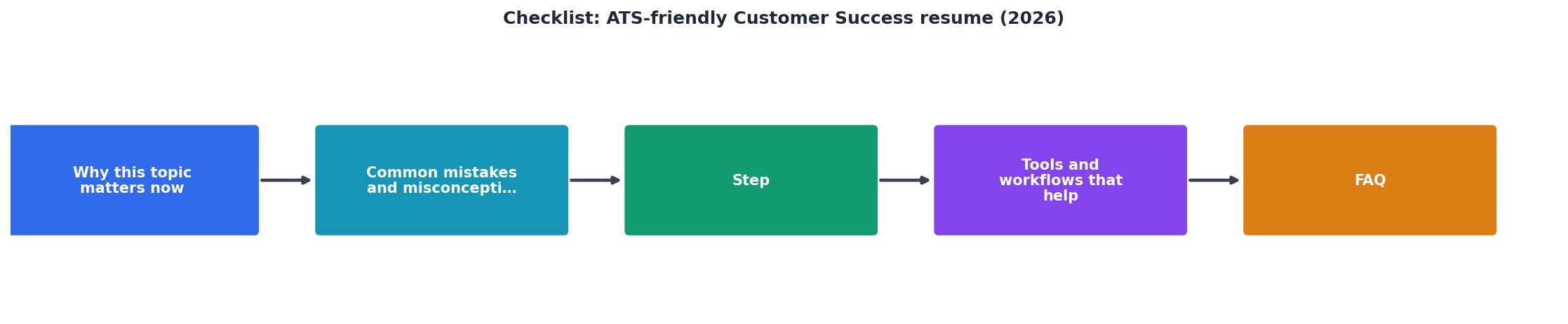
Follow these steps in order. Each one builds on the previous.
1. Choose a clean, single-column template
Use a .docx or ATS-tested PDF template. Stick to standard fonts: Arial, Calibri, or Garamond. No tables for layout. No text boxes.
2. Use standard section headings
ATS software looks for exact heading labels:
- Professional Summary (not "About Me" or "My Story")
- Experience or Work Experience
- Skills
- Education
- Certifications (if applicable)
3. Mirror the job posting's language
Open the target job description. Highlight every skill, tool, and metric mentioned. Then use those exact phrases in your resume. If the posting says "customer health scoring," do not write "account wellness tracking." Match the vocabulary.
4. Quantify every bullet point
Customer Success is a metrics-driven function. Your resume should prove that. Use this formula: Action verb + what you did + measurable result.
Examples:
Managed enterprise accounts→ Managed a portfolio of 45 enterprise accounts totaling $12M ARR, achieving 96% gross retention.Improved onboarding→ Reduced time-to-value from 42 days to 18 days by redesigning the onboarding playbook for mid-market clients.Handled renewals→ Drove 108% net revenue retention across Q1-Q3 2025 through proactive expansion conversations during QBRs.
5. Add a skills section with hard keywords
Create a dedicated Skills section. Include both tools and competencies:
- Tools: Gainsight, Totango, ChurnZero, Salesforce, HubSpot, Vitally, Mixpanel, Looker
- Competencies: Customer health scoring, churn analysis, renewal forecasting, executive business reviews, product adoption strategy, voice of customer programs, cross-functional escalation management
6. Run an ATS match check
Before submitting, paste the job description into Resume Hedgehog alongside your resume. It highlights keyword gaps and formatting issues so you can fix them in minutes instead of guessing.
Here is an example dashboard showing what a typical ATS match analysis looks like for a Customer Success Manager application:
ATS Match Analysis, CS Manager Role
Tools and workflows that help

You do not need to do all of this manually for every application. Here is a practical workflow:
- Create a master resume with every role, metric, and skill you have ever used in Customer Success. This document is for your eyes only. It will be 3-5 pages.
- For each application, copy the master and trim it to one or two pages, keeping only the bullets and skills that match the specific job posting.
- Use an ATS-tailoring tool to compare your trimmed resume against the job description. Fix gaps.
- Save as a simple PDF (File → Save As → PDF in Word or Google Docs). Do not use a design tool for the final export.
- Name the file clearly:
FirstName-LastName-Customer-Success-Manager.pdf. Some ATS platforms index the filename.
| Manual Tailoring | ATS-Assisted Tailoring |
|---|---|
| 30-45 min per application | 5-10 min per application |
| Easy to miss keywords | Keyword gaps flagged automatically |
| Formatting guesswork | Formatting validated |
| Inconsistent results | Repeatable match scores |
ATS-Friendly Customer Success Resume Checklist (2026)
Your progress is saved automatically in your browser.
FAQ
Frequently Asked Questions
What is the one section of your Customer Success resume that you find hardest to quantify? Share your challenge below and let's figure it out together.
Additional Resources
- Customer Success Manager resume examples & templates - Optimise your resume and impress employers with these ATS-friendly designs. templates for fast, flexible editing, easy updates, share, and customize anywhere. ...
- Resume for Customer Success Manager (Examples + ATS ... - Your Customer Success Manager resume needs measurable results, ATS-friendly keywords, and clear proof of retention impact.
- Resume Formatting for ATS Success: 2026 Checklist - Save this. Your resume formatting checklist for 2026. ATS systems are picky. Here's exactly what to do and what to avoid.

Get the 356 complete recruitment audit (free PDF)
Download the free PDF with 356 reasons hiring stalls, plus optional daily email tips. No credit card.
Get the free PDF 356 reasons · Free download